
1 2 3, Stop
Play Count0
Published2021-10-20
Supported DevicesPC + Mobile
CategoryAction & Fighting
Rating★★★★★5.0Rate this game
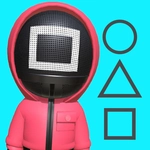
📝1 2 3, Stop Overview
One wrong step after the count stops and you'll be sent back to the start—how far can you dash before 'Stop!' catches you moving?
💬What is 1 2 3, Stop?
The rules are simple enough that I learned them in ten seconds: run during the count, freeze when it stops. But simple rules don't mean easy, and '1 2 3, Stop' will test your reaction time like a digital version of that schoolyard game where the kid facing the wall yells 'red light, green light.' You control a little avatar sprinting toward the finish line. Hold the mouse button or a key to dash forward; the moment the countdown hits zero and the screen flashes 'STOP,' you have to release instantly. Even half a second of extra movement sends you all the way back to the start. I found myself leaning forward in my chair, finger hovering over the button, trying to anticipate the exact moment the game would freeze me.
What surprised me is how much micro-decisions matter. Do you hold the button for one more fraction of a second to gain ground, or do you let go early to be safe? The game punishes greed hard, so you'll learn to respect the stop signal fast. There are multiple tracks, each slightly longer than the last, and the countdown rhythm changes between rounds—sometimes slow and deliberate, sometimes rapid-fire. The visuals are bright and cartoony, which makes the sudden 'OUT' stamp feel almost personal. The mouse-only control works fine, but you can also map movement to keyboard if you prefer tapping. I kept a high score chase going for a good twenty minutes without realizing it.
If you like reaction games that look chill but hide a sharp difficulty curve, this one's a good quick fix. It's the kind of game you'll lose to a few times, swear you'll quit, and then immediately click 'retry.'
👥How to Play 1 2 3, Stop
Use Mouse To Play and Keyboard.
✨Game Tips
Release the button a split second before you think you need to—the game detects movement even as the stop sound plays.
Don't watch your character; watch the countdown timer or the signal change in your peripheral vision.
Short bursts of movement are safer than long continuous holds, especially on later tracks with trickier timing.
If you're using keyboard, keep your finger resting on the key rather than tapping from a distance—less travel time means faster stops.
The first track is easy on purpose. Use it to get a feel for the exact moment the freeze triggers before moving on.
Learn the rhythm of each track's countdown. Most cycles are consistent, so you can predict the stop if you pay attention.
🔧FAQ
Q: Is 1 2 3, Stop free to play?
A: Yes, it's completely free in your browser with no paywalls or subscriptions.
Q: Can I play 1 2 3, Stop on my phone?
A: Yes, the game works on mobile browsers and supports touch controls.
Q: Do I need to download anything to play?
A: No download needed. It runs directly in your browser as an HTML5 game.
Q: What are the controls for 1 2 3, Stop?
A: Use your mouse to hold and release movement, or map movement to a keyboard key.
Q: How do I restart a level after getting sent back?
A: The game automatically resets you to the start. Just wait for the next green light to begin again.
Q: Is there a way to pause the game?
A: Most browser games let you pause by clicking outside the game window or pressing Esc, though it may vary.