
2048 Physics 3D
Play Count0
Published2023-01-30
Supported DevicesPC + Mobile
CategoryPuzzle & Thinking
Rating★★★★★5.0Rate this game
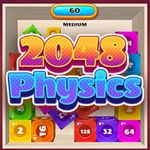
📝2048 Physics 3D Overview
Grab numbered cubes and slam them together before the board overflows—every merge sends a jolt through the 3D stack.
💬What is 2048 Physics 3D?
You know that satisfying crunch when two 2048 tiles snap together? Now make it physical. Cubes drop into a 3D pit, each side showing a number from 2 up to whatever you can reach. You click and drag one, shove it into a matching neighbor, and watch them fuse into a bigger block. The twist? Gravity, collisions, and momentum are all live. A careless nudge can send a lowly 2 flying across the board, knocking over your carefully arranged 32s. I've ruined more runs than I'd like to admit by trying to be clever with a flick instead of a proper drag.
The board fills up fast. Each new wave of dice plops down with a bounce, sometimes landing in the worst possible spot. You need to think two or three merges ahead, but the physics forces you to react in the moment. I found myself leaving gaps on purpose so I could roll cubes into them later. It's less about pattern memorization and more about spatial improvisation. The 3D camera lets you spin around, peer over the heap, and line up angles like you're playing a weird tabletop sport.
What makes it click is the tactile feedback. When two big cubes merge, there's a lag—just enough for you to second-guess yourself—then the new number pops and the cube swells a little. Sound effects are chunky, if your browser plays them. If you've burned out on flat 2048, this is the version to try.
👥How to Play 2048 Physics 3D
Dice with numbers will fall on the playing field.
You have to combine cubes with the same number according to the 2048 rules.
Grab a cube and move it to the place next to another cube with the same number or colour.
✨Game Tips
Drag cubes slowly near the edges; fast flicks often overshoot and scatter your stack.
Keep low numbers near the drop zone so you can pair them quickly when new ones land.
Spin the camera before every major merge—hidden gaps behind the pile are prime spots for a 2 to roll into.
Don't hoard high cubes in the middle; they're magnets for accidental collisions.
If a cube is stuck against a wall, try nudging it from below rather than dragging it sideways.
🔧FAQ
Q: Is 2048 Physics 3D free to play?
A: Yes, it runs directly in your browser at no cost.
Q: Can I play 2048 Physics 3D on my phone?
A: The HTML5 version works on most mobile browsers, but a larger screen helps with precise dragging.
Q: Do I need to download anything to play?
A: No downloads. Just open the game page and start merging cubes.
Q: What happens if the board fills up with cubes?
A: The game ends. You'll need to restart and try for a higher score.
Q: Are there any special power-ups or boosters?
A: This version focuses on pure physics merging—no extra power-ups.
Q: How do I control the camera?
A: Use your mouse or finger to drag and rotate the view around the 3D play area.