
2D Racing Game
Play Count0
Published2023-02-09
Supported DevicesPC + Mobile
CategoryArcade & Classic
Rating★★★★★5.0Rate this game
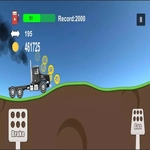
📝2D Racing Game Overview
Burn rubber in a top-down 2D racer where every hairpin turn can cost you the lead—and the AI doesn't brake.
💬What is 2D Racing Game?
You get a simple overhead view, a gas pedal mapped to D, and a brake on A. That's it. But the second you hit the first corner, you realize this isn't some casual Sunday drive. The track loops tight, the AI cars actually know how to block you, and one wrong tap of the gas sends you sliding into the barrier. I lost count of how many times I restarted just to nail that opening chicane. The background scrolls smoothly, the engine whine changes pitch with your speed, and the color-coded cars make it easy to track who's ahead. The screen controller works fine on mobile, but honestly, keyboard gives you way more precision when you're trying to shave tenths off your lap.
What surprised me is how much depth hides under the flat 2D design. There's no nitro, no weapons—just raw cornering. You'll learn to feather the brake instead of slamming it, cut the inside line without losing momentum, and use the AI's drafting pattern against them. The lap counter keeps it short and punchy, so every race feels like a quick fix. One thing to watch: the AI rubber-bands a bit, so don't get comfortable with a half-second lead. They'll be on your bumper by the final lap. I came for five minutes and stayed for twenty trying to beat my own time. If you're the type who restarts a Mario Kart time trial for a perfect run, this scratches that itch without any fluff.
👥How to Play 2D Racing Game
D: Gas
A: Brake
or screen controller
✨Game Tips
Tap D rapidly on long straights instead of holding it to keep traction.
Brake before the turn starts, not during, or you'll understeer into the wall.
Use the AI cars as mobile braking markers—when they slow, you slow.
On mobile, keep your thumb above the gas button so you can tap without looking down.
Cut the inside corner early on the first lap to break away from the pack.
Watch for the track's colored curb strips; they're the safest spot to place your tires.
🔧FAQ
Q: Is 2D Racing Game free to play?
A: Yes, it's completely free in your browser—no hidden paywalls or coin systems.
Q: Do I need to download anything to play 2D Racing Game?
A: No downloads. The game runs on HTML5, so it loads in any modern browser instantly.
Q: Can I play 2D Racing Game on my phone?
A: Yes, the touchscreen controls work on mobile, but a keyboard gives you better precision for braking.
Q: What are the controls in 2D Racing Game?
A: Press D to accelerate, A to brake. On mobile, use the on-screen buttons.
Q: Does 2D Racing Game have multiplayer?
A: No, it's a single-player race against AI opponents.
Q: Why does my car keep spinning out on corners?
A: You're braking too late or too hard. Ease off the gas before the turn, then tap A lightly.