
3D Bowling
📝3D Bowling Overview
Grab the ball, tweak your spin, and watch the pins explode — 3D Bowling turns a simple flick into a tense game of inches.
💬What is 3D Bowling?
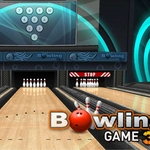
You'd think bowling is just rolling a ball straight, but 3D Bowling rewards the crafty types. The lane feels alive — polished wood, the thunk of the ball, pins scattering like they owe you money. I spent my first handful of frames throwing heaters down the middle and leaving embarrassing splits. Then I learned to nudge the spin just before release. That tiny wrist flick turns a near-miss into a pocket hit that takes out the 1-3 pin combo clean.
What works here is the simplicity of the controls against the depth of the physics. Click, drag back, push forward — but the timing of that forward push decides whether your ball curves late or goes dead straight. I started reading the lane the way you'd read a green in mini golf: where's the oil, how fast is the approach, what angle gives me the best entry. A strike feels earned, and a spare on a nasty 7-10 split? That's a fist-pump moment.
There's no fluff. No avatar dance, no power-up gimmicks. Just you, ten frames, and a scoreboard that refuses to lie. I came back three times in a row trying to beat my own high score. If you like games where one small adjustment changes everything, this one will eat your lunch break.
👥How to Play 3D Bowling
Mouse Controls
✨Game Tips
Aim for the pocket — the space between the 1 and 3 pins (righties) increases strike odds way more than hitting dead center.
Nudge your mouse slightly sideways right at release to add spin; even a 10-pixel flick curves the ball enough to recover from a bad angle.
Don't rush the backswing. A slow, deliberate pull gives you more control than a violent yank.
If you leave a single pin on the right, aim from the left side of the lane and roll straight; opposite for left-side pins.
Watch the ball's spin indicator fade out — releasing just as it disappears gives you the most predictable hook.
For spares on corner pins (7 or 10), ignore power and focus on a soft, accurate roll — the ball will deflect less.
🔧FAQ
Q: Is 3D Bowling free to play?
A: Yes, it's completely free. No payments, no locked frames, just open and bowl.
Q: Can I play 3D Bowling on my phone?
A: It works in mobile browsers. You'll use touch to swipe instead of a mouse, and the spin control feels just as responsive.
Q: Do I need to download anything?
A: No downloads. It runs in any modern browser with HTML5.
Q: How do I add spin to the ball?
A: Move your mouse slightly left or right as you push forward during the release. A small side movement adds curve.
Q: What's the best way to get a strike?
A: Aim for the pocket (between the 1 and 3 pins for right-handers) and add a slight inward spin. Don't overthrow.
Q: Does 3D Bowling have multiplayer?
A: This version is single-player only. You compete against your own high score, which honestly is harder than facing a human.