
3D Physics Stacks
Play Count0
Published2022-05-19
Supported DevicesPC
CategoryPuzzle & Thinking
Rating★★★★★5.0Rate this game
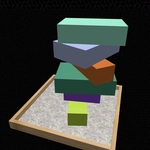
📝3D Physics Stacks Overview
Drop blocks onto a wobbling tower and hold your breath as the stack leans, creaks, and somehow stays upright in 3D Physics Stacks.
💬What is 3D Physics Stacks?
There's a weird satisfaction in placing a cube on top of another cube and watching it tilt just enough to make your stomach drop. 3D Physics Stacks doesn't care about your grand strategy — it just hands you a shape, a tower that's already judging you, and a single click. Each tap drops the next block from above, and the moment it lands, the real game begins: will it settle, or will the whole thing decide to slide off like a drunk Jenga piece?
The physics are the star here. Blocks have actual weight and friction, so a slightly off-center drop can send a slow-motion cascade that's both hilarious and heartbreaking. I lost a 40-block run because I got cocky and dropped a cylinder sideways — it rolled off the edge, ricocheted off an invisible wall, and knocked over everything I'd built. The soft thud of a block landing perfectly is oddly rewarding, like a tiny victory every time. That's the kind of chaos you'll learn to love.
It's a hypercasual game at heart: one-button controls, instant restart, and that 'just one more try' pull. But don't mistake simple for easy. You'll start reading the tower's lean, adjusting your timing, and whispering curses at the random shape generator. The colors are bright and clean, the shadows are your best friend for aiming, and the game never punishes you with a long load time. Perfect for killing five minutes or an entire lunch break.
👥How to Play 3D Physics Stacks
Click/touch to play
✨Game Tips
Drop heavy blocks dead center first to build a stable base.
Watch the shadow under the falling block — it shows exactly where it'll land.
If a block starts sliding, tap quickly to drop the next one and pin it down.
Cylinders roll; always place them near the middle or on flat surfaces.
Take a breath before each tap — rushing is how towers topple.
🔧FAQ
Q: Is 3D Physics Stacks free to play?
A: Yes, it's completely free on this unblocked games site — no hidden fees or subscriptions.
Q: Can I play 3D Physics Stacks on my phone?
A: Absolutely. The tap controls work perfectly on touchscreens, so you can stack on the go.
Q: Do I need to download or install anything?
A: No downloads needed. It runs right in your browser as an HTML5 game.
Q: How do I control the blocks in 3D Physics Stacks?
A: Just click or tap anywhere on the screen to drop the next block onto the stack.
Q: What happens if my stack falls over?
A: The game ends and you can instantly restart with one more tap. Your best height is tracked locally.
Q: Is there a way to see my highest stack?
A: The game usually shows your current and best stack height on screen, so you can aim to beat it.