
3D Police Car Parking
Play Count0
Published2026-08-13
Supported DevicesPC + Mobile
CategoryAction & Fighting
Rating★★★★★5.0Rate this game
📝3D Police Car Parking Overview
Sliding a police car into a tight space without scraping the paint is way harder than it looks—and yeah, it's addictive.
💬What is 3D Police Car Parking?
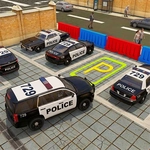
Nobody in this game is chasing robbers. Instead, you're the poor officer tasked with wedging a full-size police sedan into parking spots clearly designed by someone who hates cars. The controls are simple—WASD or arrows—but the car has actual weight and momentum, so every turn, every reverse, every tap of the gas feels like a negotiation. The camera sits behind the car, but you'll find yourself adjusting your mental picture constantly as the space shrinks.
What got me hooked was the moment I aced a parallel park after three failed attempts. I pulled in, straightened the wheels, and the game rewarded me with a satisfying little confirmation. You don't realize how tense your shoulders are until they finally relax. The 3D visuals aren't fancy, but they're clean enough to judge distances accurately, which is the only thing that matters here. There are multiple levels, each with a different layout—some have barriers, some have tight corners, a few even throw in moving obstacles just to keep you honest.
Honestly, I came for the police car novelty and stayed because parking sims are secretly a test of patience and precision. You'll fail, restart, and fail again, but each run teaches you something tiny about braking earlier or cutting the wheel a degree less. That's the loop. It's meditative in a weird way, until you clip a cone and want to throw your keyboard.
👥How to Play 3D Police Car Parking
W / A / S / D or Arrow Keys – Drive and steer
✨Game Tips
Treat the gas pedal like it's made of glass—feather it, don't stomp.
Always straighten your wheels after entering a spot or you'll drift on the next move.
Reverse into tight spaces instead of going nose-first; it's way more controllable.
Use nearby objects as reference points to judge how far you can turn.
If a level feels impossible, restart fresh rather than trying to fix a bad angle.
🔧FAQ
Q: Is 3D Police Car Parking free to play?
A: Yes, it's completely free in your browser.
Q: Can I play 3D Police Car Parking on my phone?
A: Yes, it works on mobile browsers with touch controls or an external keyboard.
Q: Do I need to download anything to play?
A: No downloads, just open the page and start driving.
Q: What are the controls for 3D Police Car Parking?
A: Use WASD or arrow keys to drive and steer.
Q: Is 3D Police Car Parking unblocked at school?
A: Since it's HTML5 and browser-based, it usually bypasses school filters.
Q: Does 3D Police Car Parking have multiple levels?
A: Yes, there are several parking scenarios with increasing difficulty.