
Ace Force: Joint Combat
Play Count0
Published2021-05-25
Supported DevicesPC + Mobile
CategoryAction & Fighting
Rating★★★★★5.0Rate this game
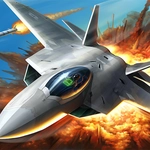
📝Ace Force: Joint Combat Overview
Line up the crosshair, squeeze the trigger, and watch the sky light up with tracer fire.
💬What is Ace Force: Joint Combat?
The first time I loaded Ace Force: Joint Combat, I expected another lazy browser shooter. I was wrong. Within thirty seconds, I had three enemy fighters on my six, missile warnings screaming, and my fingers scrambling across the keyboard to dump flares and bank hard. It's one of those games that rewards quick reflexes over careful planning, and honestly, that's what makes it hard to put down.
You'll use the mouse to aim your guns or guide your missiles, while the keyboard handles your throttle, rolls, and countermeasures. The controls feel responsive, but not forgiving — if you drift in a straight line for more than a second, you're toast. Enemy AI doesn't just fly in predictable patterns; they'll try to shake you, bait you into tunnels, or lure you into flak zones. I kept getting caught by the same trick: a damaged bandit would limp away, I'd chase for the easy kill, and suddenly two more would drop from above. Lesson learned.
Between waves, you can spend points on upgrades. I won't spoil the full tech tree, but investing in engine speed and flare capacity early made a huge difference. The game also throws in some ground targets now and then, just to keep you from getting complacent. If you're looking for a brainless point-and-click, this isn't it. But if you want a dogfight that actually makes your palms sweat, Ace Force: Joint Combat delivers.
👥How to Play Ace Force: Joint Combat
Use Mouse Or keyboard To Play
✨Game Tips
Keep moving — a stationary target is a dead target in dogfights.
Save your missiles for clustered enemies; guns work fine on lone targets.
Watch the edges of the screen for incoming bogies.
Learn to use flares early to break locks before they fire.
Upgrade your engine first if you keep getting outrun.
🔧FAQ
Q: Is Ace Force: Joint Combat free?
A: Yes, it's completely free to play in your browser.
Q: Do I need to download anything?
A: No downloads required; just open the game and start playing.
Q: Can I play Ace Force: Joint Combat on mobile?
A: It's designed for mouse and keyboard, so mobile controls may be limited.
Q: What are the controls?
A: Use the mouse for aiming and firing; keyboard handles movement, throttle, and countermeasures.
Q: Does the game save my progress?
A: Progress usually resets when you close the tab, as with most browser games.
Q: Is Ace Force: Joint Combat unblocked at school?
A: It should work on most unblocked game sites since it runs on HTML5.