
Adventure of Egypt
Play Count0
Published2022-11-14
Supported DevicesPC + Mobile
CategoryAction & Fighting
Rating★★★★★5.0Rate this game
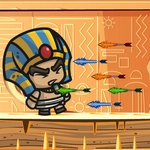
📝Adventure of Egypt Overview
Rush through crumbling temples where one wrong tap sends you crashing into a sarcophagus — how far can you drift through Egypt?
💬What is Adventure of Egypt?
Adventure of Egypt doesn't care about your reflexes—it wants them. You're guiding some poor soul through a gauntlet of ancient traps, and the only input you get is a click or tap to swap between up and down. Sounds easy until a sarcophagus lid slides into view and you jerk the mouse too hard, smacking straight into a wall of hieroglyphs. The first few runs feel hilariously unfair; then you learn to read the gaps, and suddenly you're threading between obelisks like you've done it for centuries.
What keeps me coming back is the rhythm. This isn't a game where you hold a button and relax—it's constant micro-corrections. On desktop I found tapping the mouse button rapidly worked better than holding it, almost like playing a high-stakes game of pong with gravity. Mobile is a different beast; your thumb becomes the whole controller and every twitch matters. Obstacles spawn in patterns, but the spacing changes just enough that memorization only gets you so far. There's a particular stretch with three scorpion statues in a row that I must have died on a dozen times before I realized you need to hug the top of the screen, then drop hard.
If you're after a deep story or skill trees, this isn't it. But for a quick, sweaty-palmed arcade fix during a break, Adventure of Egypt scratches that itch. The visuals lean into the sand-and-gold aesthetic without being showy, and the death screen pops up fast enough that you'll already be restarting before you finish cursing. I'd call it a one-trick pony, but it's a trick I kept falling for.
👥How to Play Adventure of Egypt
Desktop
Use the left mouse click button to move up and down. .
Mobile
Tap on the screen to move up and down.
✨Game Tips
Tap in quick bursts instead of holding for tighter vertical control.
Hug the top or bottom on long straightaways to react early to gaps.
Watch the next obstacle while you're still passing the current one—don't stare at your character.
Don't restart after a death immediately; watch the spawn pattern repeat to learn it.
On mobile, rest your thumb slightly above the screen to avoid covering the incoming traps.
🔧FAQ
Q: Is Adventure of Egypt free to play?
A: Yes, it's completely free in your browser with no paywalls or in-game purchases.
Q: Can I play Adventure of Egypt on my phone?
A: Yes, the game works on mobile browsers. Just tap the screen to move up and down.
Q: Do I need to download or install anything?
A: No downloads needed. The game runs directly in your web browser using HTML5.
Q: Is Adventure of Egypt unblocked at school?
A: Many school networks allow unblocked game sites, but your school's filter may vary. Try a trusted games directory.
Q: What are the controls for Adventure of Egypt?
A: On desktop, click the left mouse button. On mobile, tap the screen. Each click or tap switches your movement direction.
Q: Does Adventure of Egypt work offline?
A: You'll need an internet connection to load the game, but once it's loaded, it usually plays smoothly.