
Agile Driver - Car Game
Play Count0
Published2021-08-10
Supported DevicesPC + Mobile
CategoryArcade & Classic
Rating★★★★★5.0Rate this game
📝Agile Driver - Car Game Overview
Dodge oncoming cars, squeeze through impossible gaps, and chase that high score in an endless blur of near misses.
💬What is Agile Driver - Car Game?
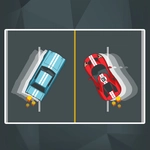
You know that white-knuckle moment when a gap in traffic closes and you've already committed? Agile Driver lives there. The whole game is a series of split-second calls: click or tap left, click or tap right, maybe hold your breath and thread a space that shouldn't exist. It's pure arcade reflex, no story, no upgrades, just you against an endless stream of cars that want to turn your hood ornament into modern art. On desktop a mouse click is all you need; on mobile your thumb does the same job via touch buttons. The controls are so simple they feel almost boring for the first ten seconds. Then the speed kicks up and you realize 'simple' and 'easy' are very different words.
I kept coming back because the game understands one thing: failure is fast and restarting is faster. You clip a bumper, the screen flashes, and you're already clicking to go again. That loop is dangerous. One run blurs into the next, and suddenly forty minutes vanish. The near misses are the hook — that feeling when you slice between two trucks with a pixel to spare and your whole body tenses because you know the next car is already coming. There's no time to celebrate. The score ticks up, the speed climbs, and the gaps get tighter until your fingers are moving before your brain even registers the obstacle. That's the whole point.
If you like arcade games that respect your time and test your twitch reflexes, this one's worth a shot. It won't hold your hand, it won't pat you on the back, and it definitely won't apologize when you slam into a taxi at 200 km/h. But that next run is always one click away, and you'll take it. I always do.
👥How to Play Agile Driver - Car Game
Desktop: Mouse Click
Mobile: Touch Buttons
✨Game Tips
Keep your eyes focused on the road ahead, not the car you're controlling.
Don't overcorrect — one click per lane change is usually enough; panic-clicking sends you into the guardrail.
When the speed ramps up, try to anticipate gaps three cars ahead instead of reacting to the car next to you.
Use the edges of the road as a temporary safe zone, but don't camp there too long or you'll get pinned.
If you have a near miss, don't celebrate — the game's already lining up the next obstacle.
Restart instantly after a crash; the first few seconds of a run are slower and perfect for building score early.
🔧FAQ
Q: Is Agile Driver - Car Game free to play?
A: Yes, it's completely free. No hidden charges or paywalls — just click and play.
Q: Do I need to download or install anything?
A: No downloads needed. It runs right in your browser as an HTML5 game.
Q: Can I play Agile Driver - Car Game on my phone?
A: Absolutely. The touch buttons work on mobile, so your thumb can handle lane changes.
Q: How do I control the car?
A: On desktop, left-click to switch lanes or steer. On mobile, use the on-screen touch buttons.
Q: Does the game get harder over time?
A: Yes, traffic speed and density increase the longer you survive, so reflexes get tested.
Q: Is there a multiplayer or two-player mode?
A: No, it's a solo arcade experience. You're only racing against your own high score.