
Agricultural Machines
Play Count0
Published2020-11-04
Supported DevicesPC
CategoryPuzzle & Thinking
Rating★★★★★5.0Rate this game
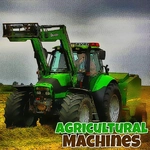
📝Agricultural Machines Overview
Every field starts as scattered scrap metal — can you drag the right machine parts together and send a working tractor rumbling across the screen?
💬What is Agricultural Machines?
Agricultural Machines looks deceptively simple at first: a clean grid, a few scattered vehicle parts, and a mouse cursor waiting for you to do something. You click, drag, and drop pieces — wheel hubs, exhaust pipes, seed hoppers — into their proper spots. Once you get a row or a whole machine aligned, the thing actually starts working. A tractor rolls forward a few inches, a baler spits out a hay cube, a sprayer mists the field. It's that little reward loop that keeps you clicking.
I kept coming back to the combine harvester level, not because it was hard, but because the final assembly felt so satisfying. The pieces click with a chunky sound, and the harvester's header bar swings down like a giant steel jaw. There's no timer on most puzzles, so you can poke around without stress. That said, don't get cocky — some stages hide parts behind other machinery, and you'll need to move a tractor out of the way before you can grab the dozer blade under it.
The mouse-only controls make it easy to pick up on any device, though the drag mechanic feels best on a desktop. If you're into farming sims but want a brain teaser rather than a full management sim, this hits the spot. It's lighthearted, oddly calming, and just challenging enough to make you feel clever when the last piece locks in and the whole machine lurches to life.
👥How to Play Agricultural Machines
Use the mouse to play this game.
✨Game Tips
- Check behind large machine icons first — the missing part is usually tucked underneath.
- Don't drag pieces too fast; the game registers drops cleanly when you pause for a beat.
- Work on one machine at a time instead of scattering parts across the board.
- If a piece won't snap, it's likely the wrong slot — compare shapes before forcing it.
- Use the chunky click sound as confirmation; no click means you messed up the drop.
- Leave the harvester for last on combined stages, its parts are bigger and easier to spot.
🔧FAQ
Q: Is Agricultural Machines free to play?
A: Yes, it's completely free in your browser with no paywalls or hidden fees.
Q: Can I play Agricultural Machines on mobile?
A: It works on most touchscreen devices, but dragging is smoother with a mouse.
Q: Do I need to download anything to play Agricultural Machines?
A: No downloads or plugins are required — just open the game page and start clicking.
Q: What are the controls for Agricultural Machines?
A: You use the mouse to drag and drop machine parts into their matching slots.
Q: Is Agricultural Machines good for kids?
A: Yes, the puzzles are family-friendly with no violence or time pressure on most levels.
Q: Does Agricultural Machines save my progress?
A: Progress is usually saved in your browser, but clearing cache may reset it.