
AIMBALL
Play Count0
Published2026-08-18
Supported DevicesPC + Mobile
CategoryArcade & Classic
Rating★★★★★5.0Rate this game
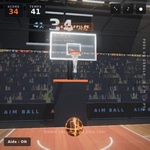
📝AIMBALL Overview
Flick, swipe, and sink that ball — how much power can you control before it all goes sideways?
💬What is AIMBALL?
AIMBALL looks simple from the outside: a ball, a target, and a swipe. But the moment you drag your finger back and let go, you realize this isn't just about aiming. It's about judging distance, reading the arc, and not overdoing the power because the ball will ricochet off walls, bounce off obstacles, and sometimes pull off a lucky drop that makes you feel like a geometry genius. I spent a good ten minutes trying to nail a shot that required a gentle half-swipe around a corner — the satisfaction when it finally dropped was worth every failed attempt.
The game throws curveballs at you early. Some levels have moving blocks that nudge your ball mid-flight, others shrink the target so you need surgical precision. The swipe mechanics are intuitive: longer swipe equals more force, tilt left or right to set the angle. On desktop, mouse drag works the same, though I found the touchscreen version slightly more natural. There's no timer, no lives, just you and a growing sense of “one more try.”
For an arcade game, AIMBALL nails the “easy to pick up, hard to master” balance. It doesn't punish you for missing — it just quietly resets the ball and lets you have another go. If you enjoy physics-based aiming games that reward patience over twitch reflexes, this one will eat your afternoon. Just don't blame me when you start seeing trajectory lines in your sleep.
👥How to Play AIMBALL
Swipe up to shoot. The longer the swipe, the more power. Tilt the swipe left or right to aim. Mouse drag works the same on desktop.
✨Game Tips
Start with shorter swipes — the ball gains power fast, and overshooting is the most common beginner mistake.
Use the walls. Bankshots are often safer than trying a direct line through moving obstacles.
On mobile, tilt your swipe slowly before release to fine-tune the angle; tiny adjustments matter more than power here.
Watch how the ball reacts after hitting a block once — its bounce pattern usually repeats on retries.
If a level feels impossible, change your release point. Sometimes aiming from a lower screen position gives a flatter, more controlled arc.
Treat each attempt as data: note where the ball landed, then correct only one variable at a time (power OR angle, not both).
🔧FAQ
Q: Is AIMBALL free to play?
A: Yes, it's completely free with no hidden paywalls or in-game purchases.
Q: Can I play AIMBALL on my phone?
A: Absolutely. The swipe controls work great on touchscreens, and mouse drag covers desktop.
Q: Do I need to download anything to play?
A: No download needed. It runs in your browser as an HTML5 game.
Q: What's the goal in AIMBALL?
A: Swipe to launch the ball and land it in the target hole, using walls and angles to your advantage.
Q: Does AIMBALL have a time limit or lives?
A: No timer, no lives. You can retry as many times as you want on each level.
Q: Is AIMBALL suitable for kids?
A: Yes, it's non-violent and easy to understand, though some later levels need serious patience.