
Airplane Flying Simulator
Play Count0
Published2019-09-06
Supported DevicesPC
CategoryManagement & Simulation
Rating★★★★★5.0Rate this game
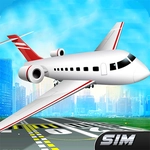
📝Airplane Flying Simulator Overview
Climb into the cockpit, fire up the engines, and wrestle a roaring metal bird through storms, mountains, and endless sky.
💬What is Airplane Flying Simulator?
Flight sims usually scare me off with 47-key bindings and a 200-page manual. Airplane Flying Simulator keeps it old-school: mouse to steer, arrow keys for throttle and pitch, and that's about it. Within thirty seconds I was climbing out of a tiny airfield, the engine groaning as I pulled the nose up. The first thing you'll notice is the sky—it's huge, bright, and there's no invisible wall telling you to turn around.
The handling sits somewhere between arcade and believable. You can't just yank the stick; the plane wallows a little when you overcorrect, like a real aircraft does. My favorite stupid trick was diving at the ground from a few thousand feet, then flaring at the last second and buzzing a hilltop. Once I clipped a treeline and cartwheeled across a field—the crash is quick, no gore, just enough to make you laugh and hit respawn. It's the kind of failure that makes you want to try the same line again, slightly lower.
Don't go in expecting a career mode or licensed 747s. This is a sandbox fly-around with a good sense of speed and weight. I kept it open on a second tab for a week, hopping in for five-minute flights between tasks. If you've got a mouse and an itch to bank through clouds, this scratches it. Just don't blame me when you spend an hour trying to land on a moving train.
👥How to Play Airplane Flying Simulator
Use Mouse and Arrows key to fly
✨Game Tips
Tap the up arrow gently during takeoff; slamming it will stall you before you clear the trees.
Use the mouse for fine turns and save the arrow keys for big altitude changes.
Dive to gain speed quickly if you're about to stall, but pull up before the ground rushes too close.
Keep an eye on the horizon line—if it's tilted, you're banking too hard and losing lift.
Practice landing on a long flat stretch first; short grass strips are trickier than they look.
If the controls feel twitchy, lower your mouse sensitivity a notch before takeoff.
🔧FAQ
Q: Is Airplane Flying Simulator free?
A: Yes, it's completely free to play online. No hidden fees or in-game purchases.
Q: Can I play Airplane Flying Simulator on mobile?
A: The game works on most mobile browsers, though mouse and keyboard controls feel best on desktop.
Q: Do I need to download anything to play?
A: No downloads. It runs directly in your browser as an HTML5 game.
Q: What are the controls?
A: Use the mouse to steer and the arrow keys to control throttle and pitch.
Q: Is there a way to restart quickly after crashing?
A: Most versions respawn you automatically or with a quick key press like R.
Q: Can I save my progress?
A: It's a casual sandbox flyer, so there's no progression to save—just start flying.