
Alex Adventure of Word
Play Count0
Published2024-07-24
Supported DevicesPC + Mobile
CategoryPuzzle & Thinking
Rating★★★★★5.0Rate this game
📝Alex Adventure of Word Overview
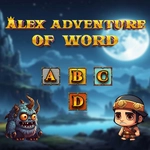
Drag letters across the board and chase that satisfying snap when a hidden word clicks into place—Alex Adventure of Word keeps your brain firing fast.
💬What is Alex Adventure of Word?
You know that feeling when you spot a word hiding in a jumble and your finger just moves before your brain catches up? That's the whole vibe here. Alex Adventure of Word throws a grid of letters at you, and your job is to trace out words by dragging from one letter to the next. It starts deceptively calm—three-letter words, easy horizontal lines—then suddenly the board twists and you're hunting diagonals, backwards spellings, and words you didn't even know you remembered from fifth grade spelling tests.
The controls are dead simple: tap or click and drag across adjacent letters. Release, and if you've strung together a real word, it pops with a little highlight and the letters clear out. There's no timer in the early levels, so you can sit there staring like a crossword detective. I kept getting tripped up by short words like 'arc' or 'era' hiding right under my nose. One moment I'm cruising through 'cat' and 'dog', the next I'm convinced the game is broken because 'orb' is right there but my drag path was one square too short. Then I finally trace it and feel like a genius.
As you progress, the boards get bigger and the word list gets sneakier. You'll spot a long word across the center, trace it, and watch a cascade of leftover letters shift into place. It scratches that same itch as a word search but with more flow—no circling, just smooth dragging. Perfect for a quick brain warm-up between classes or when you need five minutes of focus that isn't another matching game.
👥How to Play Alex Adventure of Word
How to play:
Android: Use On-Screen touch and Drag
PC: Use Mouse Left Click and Drag
✨Game Tips
Start by scanning the outer edges—lots of words like to hide along borders where your eye doesn't naturally land.
Drag slowly over each letter; fast swipes often skip a letter and break the word even if you meant to include it.
Check for tiny two- and three-letter words first (in, it, at, run, art) before hunting the big ones—they clear space and reveal new letters.
Words can go in any direction, including backwards and diagonally, so don't just read left to right.
If you're stuck, stop tracing and just read the grid out loud from different angles—sometimes your ears catch what your eyes miss.
Use the reshuffle or hint option sparingly; saving them for later levels when the board feels truly impossible is the smart play.
🔧FAQ
Q: Is Alex Adventure of Word free to play?
A: Yes, it's completely free with no paywalls or forced ads.
Q: Can I play Alex Adventure of Word on my phone?
A: Absolutely—it works on Android and iPhone using touch drag controls.
Q: Do I need to download anything to play?
A: No downloads needed. It runs right in your browser as an HTML5 game.
Q: What if I get stuck and can't find any words?
A: Try the hint button if available, or reshuffle the letters to spot new combinations.
Q: Is this game good for kids?
A: Yes, the early levels are simple enough for young readers, and it builds spelling skills.
Q: Does Alex Adventure of Word need a fast internet connection?
A: It loads quickly and plays smoothly even on slower connections once the page is open.