
Among Us Coloring
Play Count0
Published2020-12-04
Supported DevicesPC
CategoryArcade & Classic
Rating★★★★★5.0Rate this game
📝Among Us Coloring Overview
Pick a color, tap a crewmate, and watch that blank line art turn into your own twisted Among Us masterpiece.
💬What is Among Us Coloring?
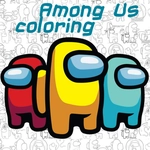
Look, sometimes you just want to relax, and Among Us Coloring is exactly that — no impostor paranoia, no emergency meetings, just you, some line art, and a color palette. You get the familiar crewmate shapes, and your job is to fill them in however you like. Pink with a green visor? Sure. All black? Fine. Nobody's going to vote you out for bad color choices.
The controls are as simple as it gets: click or tap a color, then click the region you want to paint. If you change your mind, pick another color and go over it again. I found myself zoning out for a good ten minutes just picking weird combinations — it's surprisingly satisfying when a section fills cleanly with a single tap. There's no timer, no score, no fail state, which is honestly the point.
Depending on how many pages the browser version serves up, you might flip between a few line-art poses or just stick with one iconic crewmate. Either way, the core loop stays the same. It's almost meditative. Click, fill, repeat. I kept going back to the red crewmate because the classic color just feels right, but then I'd switch to neon green for the visor and laugh at how wrong it looked. On a phone, it works fine with your finger, though smaller areas can be a bit fiddly. That's really the only knock. So if you need a brain break between rounds of actual Among Us, this is a nice low-stakes detour.
👥How to Play Among Us Coloring
Use your mouse to play the game or tap on the screen!
✨Game Tips
Use high-contrast colors for the visor so the face pops.
On touch screens, zoom in if the browser allows it to hit smaller sections.
Don't worry about staying inside the lines perfectly — fills snap to regions automatically.
Try a monochrome look with different shades of the same color.
Switch between pages if you get bored; each one has a fresh arrangement.
Save a screenshot if you want to keep your work, since there's no built-in save.
🔧FAQ
Q: Is Among Us Coloring free?
A: Yes, it's completely free to play in your browser with no hidden costs.
Q: Can I play Among Us Coloring on mobile?
A: Yes, the touchscreen controls work fine on phones and tablets.
Q: Do I need to download anything?
A: No downloads needed. It runs right in your web browser.
Q: Does Among Us Coloring need an internet connection?
A: You need internet to load the page, but after that it may work offline depending on caching.
Q: Is Among Us Coloring suitable for kids?
A: Absolutely. There's no violence, no gore, and no way to lose.
Q: How do I change colors after filling a section?
A: Just select a new color from the palette and click or tap the same region again.