
Angry Bubble
Play Count0
Published2026-07-23
Supported DevicesPC + Mobile
CategoryFun & Crazy
Rating★★★★★5.0Rate this game
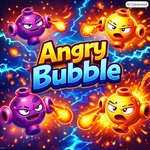
📝Angry Bubble Overview
Pop the furious little orbs before the screen turns into a foam party you didn't ask for. One wrong click and you'll be wiping suds off your keyboard.
💬What is Angry Bubble?
I'll be honest: the first time I clicked an angry bubble, I thought it'd be as chill as popping bubble wrap. Thirty seconds later I was muttering at my monitor and clicking like a caffeinated woodpecker. These bubbles don't just sit there—they drift, jiggle, and occasionally act like they've got a personal grudge against your cursor. The core loop is dead simple: click or tap a bubble to pop it before it floats off-screen or merges with a buddy to form a bigger, angrier bubble. But that simplicity is exactly what drags you back in.
What surprised me was how quickly I started developing stupid little strategies. Do I go for the tiny fast ones first, or save the slow fat one for a satisfying late pop? The game doesn't tell you any of this—you just feel it out. I kept catching myself holding my breath during the last few bubbles, only to realize I'd been leaning toward the screen like an old guy at a slot machine. The art is bright and clean without being saccharine, and the sound effects have that weirdly satisfying squish that makes every pop feel earned.
I wouldn't call it deep, and I mean that as a compliment. Angry Bubble is the kind of game you open during a boring call, then look up and realize twenty minutes vanished. There's no convoluted progression, no jarring difficulty spike—just you, a cursor, and a screen full of vaguely hostile spheres. If you need a tiny dose of chaotic satisfaction, this delivers without asking for your email or your firstborn.
👥How to Play Angry Bubble
Use mouse to play.
✨Game Tips
Go for the smallest bubbles first—they're quicker to pop and keep the screen from getting crowded.
Don't chase every bubble across the whole screen; let the slow ones drift into your click zone.
If two bubbles are about to merge, prioritize the one on top. Merged bubbles are bigger targets but move slower, so they're easier to handle after.
Listen for the pitch of the pop. Higher-pitched pops usually mean smaller bubbles, lower pops mean you're getting the fat ones.
Keep your cursor near the center of the screen between pops. It reduces travel time when a new bubble spawns.
When the screen gets frantic, focus on one horizontal band at a time instead of spraying clicks everywhere.
🔧FAQ
Q: Is Angry Bubble free to play?
A: Yes, it's completely free with no hidden paywalls.
Q: Can I play Angry Bubble on my phone?
A: Yes, it works in mobile browsers and responds to taps.
Q: Do I need to download anything to play?
A: No download needed—it runs in your browser as HTML5.
Q: Does Angry Bubble have multiple levels or just one endless mode?
A: It's an endless score-attack style, so the challenge ramps up as you pop more.
Q: What's the goal in Angry Bubble?
A: Pop as many bubbles as you can without letting them escape or merge into bigger ones.
Q: Is there a pause button or way to take a break?
A: Usually the game pauses automatically when you switch tabs or click away.