
Angry Shooting Emoji
Play Count0
Published2020-03-16
Supported DevicesPC
CategoryArcade & Classic
Rating★★★★★5.0Rate this game
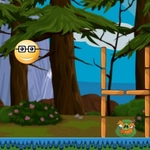
📝Angry Shooting Emoji Overview
Grab your mouse and blast every angry emoji that dares bounce into view—it's twitchy, colorful, and way too satisfying to stop.
💬What is Angry Shooting Emoji?
You get a crosshair, an endless parade of furious yellow faces bouncing around the screen, and one job: click them into oblivion before they overwhelm you. The core loop is deceptively simple—move the cursor, click the emoji, watch it pop like a stress ball. But the speed picks up fast. First you're swatting a couple of slow-moving grumps, then the screen floods with red-faced rage icons that zigzag and split your attention.
What surprised me was how quickly my brain switched into reflex mode. There's a rhythm to the chaos, almost like whack-a-mole with a grudge. I caught myself holding my breath during a tight cluster, lining up three rapid clicks in a row and feeling that tiny dopamine hit when all three vanished. The trick is not to chase every single one—scan the edges, spot the biggest threat, and trust your peripheral vision. Some emojis are quicker than others, and wasting a click on a far-off target while a red one barrels toward the middle is a classic rookie mistake.
Because it runs right in the browser with zero setup, it's the kind of game you open between classes or while waiting for something to load. No story, no menus, just aim and shoot. The difficulty curve keeps it from getting boring, and the high-score chase sneaks up on you—you'll tell yourself one more round, then realize twenty minutes vanished. If you enjoy arcade shooters that punish hesitation but reward calm aim, this one scratches that itch without any fluff.
👥How to Play Angry Shooting Emoji
Use mouse to shoot.
✨Game Tips
Watch the edges where new emojis spawn—early spotting gives you a half-second advantage before they start moving erratically.
Don't anchor your cursor in the center; keep it gliding so you can adjust to sudden direction changes without overcorrecting.
Prioritize the red or darker emojis first, as they usually move faster and can slip past a lazy aim.
Click in short, controlled bursts rather than spraying the whole screen—wild clicking throws off your rhythm and wastes movement.
If a cluster forms, line up a path and fire through it in one smooth sweep instead of pausing on each target.
🔧FAQ
Q: Is Angry Shooting Emoji free?
A: Yes, it's completely free to play with no hidden fees or paywalls.
Q: Do I need to download anything to play?
A: No download required—it runs directly in your web browser.
Q: Can I play Angry Shooting Emoji on mobile?
A: Touch support may work, but the game is designed for mouse and keyboard precision.
Q: What are the controls?
A: Move your mouse to aim and left-click to shoot the angry emoji faces.
Q: Does the game get harder as I play?
A: Yes, emojis spawn faster and move more unpredictably the longer you survive.
Q: Can I play this at school or work?
A: Since it's an unblocked browser game, it usually bypasses typical network restrictions.