
Antistress Relaxation Toys
Play Count0
Published2026-03-04
Supported DevicesPC
CategoryAction & Fighting
Rating★★★★★5.0Rate this game
📝Antistress Relaxation Toys Overview
Squeeze, pop, and fidget your way to calm with a digital toybox that turns every click into pure tactile satisfaction.
💬What is Antistress Relaxation Toys?
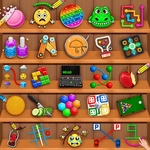
I opened this after a rough morning, and honestly the first thing I did was hold down the mouse on a sheet of virtual bubble wrap for a solid minute. The pops have real weight—each one feels slightly different depending on where you click, and there's that almost imperceptible delay before the bubble bursts, just like the real thing. The game is basically a tray of digital fidget toys. You've got switches that clack, a marble maze where the marble actually rolls with momentum, squishy stress balls that deform under the cursor, and a few keyboard-driven toys that turn your WASD keys into a mini drum kit. It's simple, but extremely good at its one job.
What surprised me was the two-player angle. If you've got someone next to you, you can take turns on the same screen—either racing to pop a set number of bubbles or just handing the mouse back and forth while you compare which toy is the most satisfying. I'd never thought of anti-stress tools as competitive, but watching a friend try to beat your marble run time adds a weird layer of fun. The controls are purely mouse and keyboard, so there's no learning curve; you just click, drag, and occasionally mash spacebar.
The best part? There's no timer, no score, no pressure. You can leave a toy half-broken, switch to something else, and come back later. It's perfect for quick five-minute breaks between classes or during work. I kept coming back to the kinetic sand sim—something about dragging the cursor through it just resets my brain. If you need a quiet way to fidget without making noise in a library, this is it. And because it runs in the browser, you don't have to download anything or sit through ads.
👥How to Play Antistress Relaxation Toys
use mouse and keyboard controls
✨Game Tips
Don't rush the bubble wrap—slow, deliberate clicks are more satisfying than frantic popping.
Try the keyboard toys with both hands to get the full tactile rhythm.
If a toy feels too twitchy, lower your mouse sensitivity in your browser settings.
Some objects reset with a right-click—useful when you want a fresh canvas.
Use headphones; the sound design is half the relaxation.
Explore every corner of the menu; hidden toys often sit behind others.
🔧FAQ
Q: Is Antistress Relaxation Toys free?
A: Yes, it's completely free to play in your browser.
Q: Can I play Antistress Relaxation Toys on mobile?
A: The game works best with a mouse and keyboard, but touch support is limited.
Q: Do I need to download anything?
A: No downloads needed—just open the page and start playing.
Q: Is there a two-player mode?
A: Some toys support local two-player turns using the same mouse or keyboard.
Q: Does it save my progress?
A: No, there are no levels or saves; each toy resets when you reload.
Q: What are the controls?
A: Use the mouse to click, drag, and spin; some toys use arrow keys or spacebar.