
App For Kids
Play Count0
Published2022-07-08
Supported DevicesPC + Mobile
CategoryFun & Crazy
Rating★★★★★5.0Rate this game
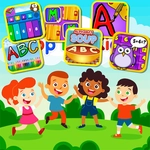
📝App For Kids Overview
One tap is all it takes to turn a blank screen into a tiny parade of colors, sounds, and silly surprises that'll keep your finger hovering.
💬What is App For Kids?
App For Kids is the kind of clicker you fire up when you need two minutes of pure, uncomplicated tapping. No story, no menus, no fake difficulty spikes. You click. Things happen. Somewhere around the fifth screen I caught myself grinning at a pixelated duck bouncing across the top of the window for no reason other than I smacked it with the cursor. That's the whole vibe.
The feedback is where it gets you. Click a balloon and it pops into a burst of smaller dots. Click a rubber duck and it quacks—a proper little 'mwap' sound—then spins off the edge. Click a star and it splits into three tiny stars that drift apart. There's no punishment for speed, no timer (at least I never found one), and no 'fail' state. My five-year-old niece grabbed the mouse from me and within seconds she was chasing down a green button that kept teleporting to random corners. She didn't need instructions. Neither will you.
Because it's browser-based, there's no install, no sign-up, and no permission pop-ups. The visuals are bright but not headache-inducing, and the sound effects are cheerful without being babyish. If you need a brain break that won't turn into a 40-minute rabbit hole, this one's perfect. You won't lose progress, there's no boss to rage at, and closing the tab feels like walking away from a vending machine that spit out an extra gumball just for being tapped.
👥How to Play App For Kids
just one click/tap to play.
✨Game Tips
Tap the duck first whenever it appears—its quack is worth the click alone.
Don't bother aiming for tiny targets; clicks register anywhere on the object's hitbox.
If a balloon floats off the top, wait a second—it always loops back down.
Use a mouse if you can; trackpads make rapid tapping feel mushy.
Let little kids go wild—there's no wrong move, so don't hover over their shoulder.
Refresh the page if the sound cuts out; sometimes the audio buffer resets.
🔧FAQ
Q: Is App For Kids free to play?
A: Yes, it's completely free in your browser with no paywalls or locked content.
Q: Can I play App For Kids on my phone?
A: It works on any device with a browser, though a mouse or touchscreen makes tapping easier.
Q: Do I need to download anything to play App For Kids?
A: No downloads or installs required—just open the page and start clicking.
Q: Is App For Kids safe for toddlers?
A: Yes, there's no violence, language, or ads that redirect, so it's fine for unsupervised play.
Q: What's the goal in App For Kids?
A: There's no win condition; just click objects to trigger fun reactions and sounds.
Q: Does App For Kids save my progress?
A: It doesn't save scores or levels, but that also means nothing to lose when you close it.