
Army Shooter
Play Count0
Published2019-10-14
Supported DevicesPC
CategoryAction & Fighting
Rating★★★★★5.0Rate this game
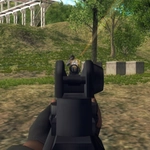
📝Army Shooter Overview
Every bullet counts when you're outnumbered in Army Shooter, but swapping between first-person precision and third-person awareness might just keep you breathing.
💬What is Army Shooter?
Army Shooter throws you into a compact warzone with a loadout and a bad attitude. You've got the usual WASD movement and mouse aiming, but the real hook is how fluidly it lets you flip between third-person and first-person view with C. I ended up staying in third-person for situational awareness, then snapping into first-person when I needed to pick off a distant sniper. The weapon wheel (keys 1 through 6) covers everything from rifles to heavier gear, and each one feels distinct enough to matter. Sprint with Left Shift, crouch with Ctrl, and jump with Space — the movement isn't fancy, but it's responsive, and that's what counts when you're getting flanked.
The enemy AI isn't going to write any dissertations, but it does push you. Squads advance in loose formations, sometimes flushing you out of cover with grenades. I had a moment where I went prone behind a sandbag (well, crouched, since there's no prone key) and realized the enemy had already rotated to my left. Tab pauses the action, which is handy for a breather, but don't expect any hand-holding. Health doesn't regen instantly, and ammo runs dry if you spray. You'll need to manage your shots or switch weapons mid-fight.
What keeps me coming back is that it's a browser shooter that doesn't feel like a tech demo. The levels are tight, the firing has actual recoil, and the option to toggle views on the fly gives you a tactical edge most indie shooters skip. If you're looking for an unblocked action game to kill a lunch break, this one hits harder than it has any right to.
👥How to Play Army Shooter
Controls:
• WASD or Arrow keys: move
• Left mouse button: fire
• Right mouse button: aim
• Space bar: jump;
• 1,2,3,4,5,6: change weapon
• Tab: pause
• C: switch between third-person and first-person view
• Ctrl: crouch
• Left Shift: Run
✨Game Tips
Use C to flip to first-person when you're holding a long sightline; third-person is better for CQB.
Map your weapon keys (1-6) to muscle memory before you get pinned down.
Sprint (Left Shift) only when moving between cover—it's loud, and enemies react to noise.
Crouch behind low walls to reduce your profile, but watch for grenades.
Don't ignore the pistol if you run dry; switching beats reloading in a pinch.
Tab pauses, so use it to reposition your mental map, not just to take a break.
🔧FAQ
Q: Is Army Shooter free to play?
A: Yes, it's completely free in your browser with no payment required.
Q: Do I need to download Army Shooter?
A: No downloads. It runs in HTML5 on any modern browser.
Q: Can I play Army Shooter on mobile?
A: The desktop controls are best, but touchscreen support varies by device.
Q: How do I switch between first and third person?
A: Press C during gameplay to toggle the camera view instantly.
Q: Which weapons can I use?
A: Six weapons mapped to keys 1 through 6, each with different damage and recoil.
Q: Does Army Shooter have a pause feature?
A: Yes, press Tab to pause the action at any time.