
Arrow Tap Game
Play Count0
Published2026-05-18
Supported DevicesPC + Mobile
CategoryPuzzle & Thinking
Rating★★★★★5.0Rate this game
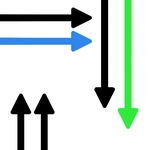
📝Arrow Tap Game Overview
One tap starts the chain, but every arrow has a direction that will send it flying—plan your moves before the screen becomes a mess.
💬What is Arrow Tap Game?
Arrow Tap Game looks deceptively calm—just a grid of arrows, each one pointing at a neighbor. But step one is realizing you can't just tap them in any order. An arrow only clears if the cell it's pointing at is already empty or off the board. So if you grab the one aiming deep into the cluster too soon, it locks up and you have to hit R. That rule turns every level into a reverse engineering puzzle: find the arrow that points into nothing, tap it, and watch the board loosen up one tile at a time.
I had a level where almost every arrow pointed right except one lonely left-facing arrow buried near the middle. Clearing the right-pointing arrows along the right edge opened the path, and suddenly that inside arrow became free. It felt like disarming a little machine—each tap is a decision, and the hint button (H) is there if you want to see one legal move without spoiling the whole solution. The game doesn't punish speed, but it absolutely punishes carelessness, so I started scanning from the outside in, tapping everything that pointed off-screen first.
Controls are straightforward: click or tap an arrow to remove it, R restarts the level instantly, H gives a hint, and Esc pauses if you need a breath. It plays just as well on a touchscreen because the whole game is just tap, tap, think. There's no timer, no lives, just a clean progression of increasingly tangly layouts. For a hypercasual puzzler, it's surprisingly good at making you feel clever when a whole chain clears without a mistake.
👥How to Play Arrow Tap Game
Controls
Mouse Controls
• Left Click on Arrow to Remove
• Click Carefully to Plan the Correct Order
Keyboard Controls
• R Key – Restart Level
• H Key – Use Hint
• Esc – Pause Game
Mobile Controls
• Tap Arrow
✨Game Tips
Start with arrows pointing off the screen or into empty cells—they're always safe to tap first.
Work from the outside in: each tap removes a blocker, making the arrows it pointed to available next.
Press H only when truly stuck; the hint shows one possible tap but won't give you the full sequence.
If you tap the wrong arrow, hit R immediately to reset rather than trying to unwind a broken board.
On mobile, tap slowly and trace the arrow's direction before you commit; fat-fingering the wrong tile is the most common error.
After a few removals, re-scan the whole board for newly freed arrows instead of following the same pattern.
🔧FAQ
Q: Is Arrow Tap Game free to play?
A: Yes, it's completely free in your browser. No payment or sign-up required.
Q: Can I play Arrow Tap Game on my phone?
A: Absolutely. The game supports tap controls, so any smartphone or tablet browser will work fine.
Q: Do I need to download or install anything?
A: No download needed. It runs directly in Chrome, Safari, Firefox, or any modern HTML5 browser.
Q: What does the hint button do?
A: Press H (or tap the hint icon on mobile) and it will highlight one valid arrow to tap next, but not the whole solution.
Q: How do I restart a level in Arrow Tap Game?
A: Hit the R key on desktop or tap the restart icon on mobile to reset the current board instantly.
Q: Does the game save my progress automatically?
A: Progress may be saved in your browser's local data, but clearing cookies or cache could reset it, so play in one sitting if you can.