
ASTRO CHICKENS
Play Count0
Published2026-06-19
Supported DevicesPC + Mobile
CategoryAction & Fighting
Rating★★★★★5.0Rate this game
📝ASTRO CHICKENS Overview
Pick a ship, pick a battlefield, then hold on — these astro chickens aren't here to cluck around, and the difficulty goes all the way to Insane.
💬What is ASTRO CHICKENS?
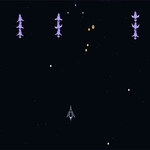
I'll admit, the name made me expect a joke game. It's not. Astro Chickens is a surprisingly tight little arcade shooter with a ridiculous premise that still manages to get your pulse up. You open a lobby, pick an environment from one grid and a ship from another — each ship feels a little different in speed, fire rate, and how much punishment it can take. Then you choose your poison: Normal, Hard, or Insane. Press Launch Mission and you're off.
The core loop is simple: move, shoot, don't die. That's easier said than done, because the screen fills up fast with enemy fire and drifting debris. The first time I cranked the difficulty to Insane I lasted maybe forty seconds, and I've been playing shooters for years. The environments matter more than you'd think — some have tighter corridors than others, and one open space level let me kite enemies for ages while a cluttered asteroid field turned every dodge into a gamble.
What keeps me coming back is that clean 'one more run' feel. Each death is your fault, not cheap. You learn enemy patterns, you stop panic-firing, you find the ship that matches your style. Press Space or tap the canvas on the Get Ready screen and the run begins. No tutorial, no hand-holding, just you, your feathered pilot, and a whole lot of things that want you turned into space dust.
👥How to Play ASTRO CHICKENS
How to Play
Open the lobby. Select an environment and a ship from their respective grids.
Choose a difficulty setting in Settings: Normal, Hard, or Insane.
Press Launch Mission.
On the Get Ready screen, press Space or tap the canvas to begin.
Move the shi
✨Game Tips
Start on Normal even if you're decent at shooters — Insane throws way more heat than you'd expect from a chicken game.
Use the ship preview grid to compare fire rate versus tankiness before you commit; a fast paper ship is a different run than a slow bruiser.
On the Get Ready screen, don't mash Space immediately — take a breath and check your surroundings, enemies won't wait once you start.
Keep moving in wide circles around the screen edges; standing still is a death sentence in any environment.
Switch environments when you're stuck — some have way more open space and fewer obstacles to clip you.
Pay attention to how enemies enter the screen; most waves have a rhythm you can exploit with pre-aimed shots.
🔧FAQ
Q: Is Astro Chickens free to play?
A: Yes, it's completely free in your browser with no payment or premium features.
Q: Can I play Astro Chickens on mobile?
A: Yes, the game supports touch controls — tap the canvas on the Get Ready screen to begin.
Q: Do I need to download anything to play?
A: No downloads or installs are needed; it runs in any modern browser as an HTML5 game.
Q: What difficulty levels does Astro Chickens have?
A: You can choose Normal, Hard, or Insane from the Settings menu before launching a mission.
Q: How do I start a mission in Astro Chickens?
A: Pick an environment and a ship, select difficulty, then press Launch Mission and hit Space or tap to begin.
Q: Does Astro Chickens save my high scores or progress?
A: It doesn't save progress between sessions, so each run is a fresh attempt — which suits the arcade style.