
Astro Pong Pro
Play Count0
Published2020-12-02
Supported DevicesPC
CategoryArcade & Classic
Rating★★★★★5.0Rate this game
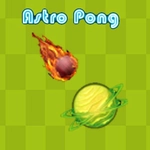
📝Astro Pong Pro Overview
Grab your paddle and survive the neon void — every volley in Astro Pong Pro bends faster, sharper, and far more brutally than your average retro bounce.
💬What is Astro Pong Pro?
I thought I'd seen every spin on Pong until I loaded up Astro Pong Pro and watched the ball curve mid-air like it had a grudge. It looks simple: a paddle at the bottom, a ball, an opponent's paddle up top. But 'pro' isn't decoration. The ball doesn't just bounce in straight lines — it curves depending on where it hits your paddle, and the angle tightens as rallies stretch. Miss one well-placed return and the AI won't just score; it'll make you look silly with a slow-motion lob that dies in the corner.
Controls are absurdly straightforward: tap left or right, or hold to glide. That's it. But the timing is everything. I kept losing to the same cheeky backspin shot until I learned to nudge the paddle just before contact — that tiny extra push sends the ball into a dead angle the AI can't reach. It's the kind of micro-adjustment that makes a 2-minute round feel like a full match.
Visually it's all clean lines and deep blues, like playing inside a screensaver from 2045. Sound design is minimal but punchy. And because it's HTML5, no downloads, no sign-ups — just open the tab and go. If you grew up on Pong but wanted it to fight back, this is your hour gone.
👥How to Play Astro Pong Pro
tach lef or right button
✨Game Tips
- Nudge the paddle right before the ball hits to apply extra spin.
- Watch the ball's glow: brighter means faster, so start moving earlier.
- Don't camp the center; the AI loves shooting the corners.
- After every 10 volleys, the curve gets crazier — reset by letting a ball go out once.
- Use your paddle's edge for sharper angles, but don't flick too early.
🔧FAQ
Q: Is Astro Pong Pro free to play?
A: Yes, it's completely free on our site. No hidden paywalls or coin systems.
Q: Can I play Astro Pong Pro on my phone?
A: The game runs in any mobile browser, though a larger screen makes curving shots easier to read.
Q: Do I need to download anything to play Astro Pong Pro?
A: No downloads. It loads instantly as HTML5, so just click and play.
Q: How do I control the paddle in Astro Pong Pro?
A: Tap or click left/right, or use arrow keys. Hold to keep the paddle moving continuously.
Q: Is Astro Pong Pro multiplayer or only against AI?
A: It's single-player versus AI in this version. Local multiplayer isn't included.
Q: Why does the ball curve in Astro Pong Pro?
A: Your paddle's position at contact determines spin. Hitting near the edge gives sharper curves.