
Baby Panda Kids Crafts DIY
Play Count0
Published2024-01-10
Supported DevicesPC + Mobile
CategoryGirls & Lifestyle
Rating★★★★★5.0Rate this game
📝Baby Panda Kids Crafts DIY Overview
Grab some virtual scissors and glue — Baby Panda is about to turn your screen into a tiny craft table.
💬What is Baby Panda Kids Crafts DIY?
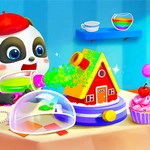
I wasn't expecting much from a game aimed at little kids, but there's something weirdly satisfying about tapping a paper shape and watching it get cut perfectly along the dotted line. Baby Panda Kids Crafts DIY drops you into a bright, cluttered craft room where every shelf holds a different project. You'll make paper animals, decorate cards, and stick googly eyes onto things that probably shouldn't have googly eyes.
What makes it work is the pace. Nothing rushes you. You can mess up a glue placement and just tap again to fix it. The panda reacts with a little wiggle or happy face when you finish a piece, which my inner five-year-old found way more rewarding than it should be. One detail I liked: the scissors aren't just a cursor — they actually open and close as you drag along the line. It's a tiny touch, but it makes the cutting feel real.
If you're looking for depth or difficulty, this isn't it. It's a chill, low-stakes sandbox for making cute digital garbage. Perfect for a brain break or keeping a kid busy for ten minutes. Just don't expect to stop after one craft — you'll want to see what other weird eyes you can stick on the next project.
👥How to Play Baby Panda Kids Crafts DIY
Mouse click or tap to play
✨Game Tips
Tap precisely on the dotted line when cutting — the game tracks your path, and jagged cuts still complete but look messier.
Switch between projects from the shelf instead of finishing one at a time; some crafts share parts.
Use the undo button if glue lands wrong, it's faster than restarting the whole piece.
Watch the panda's expression after each step; it hints whether you've placed the item in the right spot.
Decorate freely on the blank canvas mode for endless stickers and colors without instructions.
Play on a touchscreen if you can — the drag-and-drop feels much more natural than a mouse.
🔧FAQ
Q: Is Baby Panda Kids Crafts DIY free?
A: Yes, it's completely free to play in your browser with no paywalls.
Q: Can I play Baby Panda Kids Crafts DIY on mobile?
A: Yes, the game works on phones and tablets with touch controls.
Q: Do I need to download anything to play?
A: No download is needed — just open the game in your web browser and start crafting.
Q: Is Baby Panda Kids Crafts DIY suitable for young kids?
A: Absolutely, it has simple tap controls, no reading required, and friendly visuals.
Q: Does the game save my progress?
A: It doesn't save between sessions, so each visit starts you fresh at the craft shelf.
Q: Can I play Baby Panda Kids Crafts DIY with a mouse?
A: Yes, clicking and dragging with a mouse works fine for all the craft activities.