
Baby Shark Coloring
Play Count0
Published2021-07-02
Supported DevicesPC + Mobile
CategoryArcade & Classic
Rating★★★★★5.0Rate this game
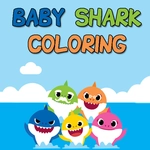
📝Baby Shark Coloring Overview
Tap a color, tap a fin, and watch Baby Shark’s underwater crew get a fresh coat of bright, happy color.
💬What is Baby Shark Coloring?
Coloring games live or die by how satisfying that fill feels, and Baby Shark Coloring nails the simple joy of tapping a blank fin and watching it flood with color. You get a handful of underwater scenes—Baby Shark, the family, a few fishy pals—and a bright palette at the bottom. Pick a shade, tap an outlined area, and it fills instantly. No brush settings, no strokes, no messy edges. It's the kind of low-pressure activity that buys you five quiet minutes while a preschooler works through every shark in the lineup.
The controls are as basic as it gets: mouse click on a laptop, finger tap on a phone or tablet. That's it. No timer, no score, no fail state. You can recolor the same picture endlessly, which matters more than you'd expect when a kid decides the ocean should be pink and the shark should be purple. I kept hunting for that one tiny missed section after finishing a character—sometimes the outline breaks into small bubbles or teeth that are easy to skip, and filling that last white speck is weirdly satisfying.
Visually, it's cheerful without being noisy. The palette sticks to bright primary colors, so even the wildest mash-ups look accidentally cohesive. Baby Shark's grin translates well to flat color, and the simple backgrounds leave room for little creative choices. It won't replace a physical coloring book, but as a free browser toy it does exactly what it should without ads popping over every tap. If you've got a toddler who hums the song on loop, this is a safe, screen-time win.
👥How to Play Baby Shark Coloring
Use your mouse to play the game or tap on the screen.
✨Game Tips
Start with the biggest character sections to get a feel for the color palette.
Don't worry about staying realistic—pink sharks and orange water look surprisingly good here.
If a spot won't fill, tap the exact center of that outlined section.
Let young kids tap randomly; the game is designed to reward any choice.
Use bright, contrasting colors next to each other so the picture pops.
Revisit the same scene with a different palette to keep it fresh.
🔧FAQ
Q: Is Baby Shark Coloring free?
A: Yes, it's completely free to play in your browser with no paywalls.
Q: Can I play Baby Shark Coloring on mobile?
A: Yes, it works on phones and tablets with simple tap controls.
Q: Do I need to download anything?
A: No downloads needed, just open the page and start coloring.
Q: What age group is Baby Shark Coloring for?
A: It's ideal for toddlers and preschoolers, but anyone can enjoy it.
Q: Does Baby Shark Coloring need a mouse?
A: A mouse works, but touchscreens are just as good for tapping areas.
Q: Can I save or print my finished picture?
A: The game usually doesn't include save or print options, but you can screenshot if desired.