
Baby Taylor Flying Disc Design
Play Count0
Published2022-10-21
Supported DevicesPC
CategoryGirls & Lifestyle
Rating★★★★★5.0Rate this game
📝Baby Taylor Flying Disc Design Overview
Grab the paints and stickers — Taylor’s plain flying disc is begging for a makeover, and you’ve got full creative control.
💬What is Baby Taylor Flying Disc Design?
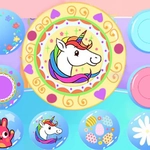
I’ll admit it: I clicked on this expecting a quick, throwaway dress-up game, but the disc customization here is way more satisfying than it has any right to be. You start with a boring white frisbee, and then a whole tray of spray paints, brush sizes, stencil shapes, and goofy decals opens up. The brush actually follows your mouse with that slightly imperfect wobble you get from cheap art software, which somehow makes it feel more real. I spent a solid ten minutes just layering neon zigzags over a rainbow fade before I even touched the sticker sheet.
What surprised me was how the game nudges you toward combos you wouldn’t think of. I stuck a pair of googly eyes right where the disc’s center hole would be, then added a squiggly mouth underneath. Instant pet rock energy. Taylor reacts to every save and redo with these tiny little animations, so even undoing a mistake feels like part of the loop. The controls are pure mouse or tap — no finicky zoom or rotation, just point, click, and color. You don’t need to know anything about actual disc golf to enjoy it; it’s more like a sticker book that came alive.
My only gripe is that there’s no way to rotate the disc while painting, so getting the underside edge perfect is a test of patience. But honestly? That little frustration made the final reveal sweeter. When the disc spins in the little victory animation, all your wonky lines blur into something that looks intentional. It’s a tiny, joyful nonsense game. Perfect for killing five minutes between classes or pretending you’re an artist who finally found their medium.
👥How to Play Baby Taylor Flying Disc Design
Mouse click or tap to play
✨Game Tips
Start with a base coat of the lightest color — darker stripes on top won't get muddy that way.
Use the biggest brush size for the first layer, then switch to small for details like dots or thin rings.
Lay down stencil shapes early; once you paint over them, the stencil edge stays crisp but the fill can look messy if you rush.
Test decal placement on the outer rim first — the center hole can stretch or hide most stickers.
Don't sleep on the spray can tool if it's available; short bursts give a speckled texture that looks way cooler than solid fills.
Hit undo instead of trying to paint over mistakes. Layering too many fixes turns the disc brownish grey.
🔧FAQ
Q: Is Baby Taylor Flying Disc Design free?
A: Yes, it's completely free to play in your browser with no hidden paywalls or locked tools.
Q: Can I play Baby Taylor Flying Disc Design on my phone?
A: Yes, the game supports touch controls, so it works smoothly on mobile browsers.
Q: Do I need to download anything to play?
A: No download needed. It runs instantly on any modern browser as an HTML5 game.
Q: What age group is this game best for?
A: It's designed for younger players, especially kids who enjoy decorating and creative play, but anyone can enjoy it.
Q: Can I save my flying disc design?
A: The game doesn't have an export feature, but you can reset and redesign as many times as you like.
Q: Does Baby Taylor Flying Disc Design require fast reflexes?
A: No, it's a relaxed art and decorating game. You can take your time choosing colors and stickers.