
Baby Taylor Handbag Designer
Play Count0
Published2022-03-31
Supported DevicesPC
CategoryGirls & Lifestyle
Rating★★★★★5.0Rate this game
📝Baby Taylor Handbag Designer Overview
Transform plain bags into runway-ready accessories as Baby Taylor hands you the scissors and glitter, then make them sparkle.
💬What is Baby Taylor Handbag Designer?
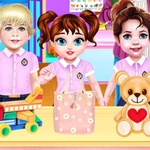
Baby Taylor has decided her closet needs a custom handbag, and you're the only designer she trusts. The game opens on her cluttered design table — swatches of fabric, spools of ribbon, little pots of glitter, a tray of beads — and a plain bag just begging for personality. You click or tap through each step: pick a base shape, choose the leather or canvas color, then start layering on details. I found myself spending way too long deciding between the hot pink bow and the pearl-studded strap, which says something about how quietly addictive this is.
The fun is in the tiny choices. A zigzag stitch here, a cartoonish cat face there, maybe a chain handle instead of a woven one. The interface is forgiving enough for younger kids — everything is tap or click, no dragging precision required — but there's enough visual payoff to keep even a grumpy adult like me curious. Once you finish, you get a little fashion-show moment where Taylor holds up the bag and twirls, and yes, I may have redone the teal one three times to get the heart charms centered.
What makes it work as a girls-category game is that it never talks down to the player. It's not just slap stickers on a purse; each layer builds toward a coherent little accessory. The color palette leans pastel and playful, and the music stays out of the way. If you're looking for five minutes of low-pressure creativity, this is a solid pick. Just don't blame me when you start mentally designing handbags for your own closet.
👥How to Play Baby Taylor Handbag Designer
Mouse click or tap to play
✨Game Tips
Swap base colors before adding decorations — it's easier to match bows and beads to a light bag than the other way around.
Start with the largest elements like handles and straps, then fill gaps with small charms.
Click through every material tab before committing; the glitter fabric and glitter accents pair surprisingly well.
Don't skip the preview step — how the bag sits on Taylor's arm can reveal mismatched colors you missed head-on.
If a design feels off, restart the layer instead of piling on more decorations; less is usually cuter.
Use the undo button early and often, because once you tap final, there's no going back.
🔧FAQ
Q: Is Baby Taylor Handbag Designer free to play?
A: Yes, it's completely free in your browser with no hidden paywalls or locked items.
Q: Can I play Baby Taylor Handbag Designer on my phone or tablet?
A: Absolutely, the tap controls work great on touchscreens just like a mouse click.
Q: Do I need to download anything to start playing?
A: No downloads or installs needed — just open the game page and start designing right away.
Q: What age group is this game best for?
A: It's designed for younger players, but anyone who likes casual fashion crafts can enjoy it.
Q: Do I need an account or login?
A: No account needed; just load the game and play instantly.
Q: Can I undo a design choice if I make a mistake?
A: Yes, there are undo and restart options for most layers, so you can experiment freely.