
Baby Unicorn Phone
Play Count0
Published2024-09-27
Supported DevicesPC + Mobile
CategoryArcade & Classic
Rating★★★★★5.0Rate this game
📝Baby Unicorn Phone Overview
Give a magical newborn unicorn its first phone and watch chaos unfold as you answer calls, feed bottles, and play mini-games with a pastel pony pal.
💬What is Baby Unicorn Phone?
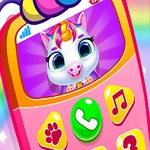
I went into Baby Unicorn Phone expecting a saccharine time-waster, and honestly, it kind of is—but the phone gimmick sold me. You're handed a pastel smartphone where the home screen is a baby unicorn's face. Tapping the call button makes the unicorn babble and blink at you through the screen; you can answer its 'video calls' to see what it wants. Sometimes it's hungry, so you drag a bottle of rainbow milk to its mouth. Other times it's bored, so you pick a mini-game from the app drawer—a matching puzzle where you pair identical stars, a simple tap-the-sparkle reflex game, and a weirdly satisfying bubble pop. The unicorn reacts to everything: it smiles when you feed it, pouts when you ignore it, and does a little dance when you win.
The real hook is how low-pressure it all is. No timers, no score chasing—just a loop of checking in on your unicorn and keeping it happy. I kept coming back because the animations are surprisingly expressive for a browser game. When you dress the unicorn in a tiny top hat, it does a little head tilt that made me actually laugh. The controls are just mouse clicks or taps, so even a toddler could figure it out, but the charm works on anyone with a soft spot for sparkly things. There's also a hidden feature: if you tap the unicorn's horn three times, it sneezes glitter, which unlocks a secret wallpaper. That's the kind of detail that shows someone cared when making this. I also discovered a photo app where you can take snapshots of your unicorn making silly faces, then use them as wallpapers. There's no fail state—if you forget to feed it, it just looks sad and you tap a snack icon. That forgiveness makes it perfect for short breaks between classes or work. The whole thing wraps up in about ten minutes per session, but starting a new 'day' with your unicorn feels like opening a tiny present.
👥How to Play Baby Unicorn Phone
Mouse click or tap to play
✨Game Tips
Tap every icon on the phone screen to find hidden mini-games—some only appear after you feed the unicorn.
Keep the unicorn's mood meter high by calling it back whenever it looks bored.
Don't skip the dress-up closet; new hats unlock after each completed call.
If the screen seems stuck, try clicking on the unicorn itself, not just the phone buttons.
Use headphones—the unicorn's ringtone is surprisingly cute, but you'll want to hear which app you're opening.
🔧FAQ
Q: Is Baby Unicorn Phone free?
A: Yes, it's completely free to play online in your browser.
Q: Can I play Baby Unicorn Phone on mobile?
A: Yes, the touch controls work great on phones and tablets.
Q: Do I need to download anything?
A: No download needed—just open the game in a web browser.
Q: What age group is Baby Unicorn Phone for?
A: It's designed for young kids, but anyone who likes cute games will enjoy it.
Q: Does Baby Unicorn Phone work on a school computer?
A: Yes, as long as the site hosting it is unblocked, it runs in any modern browser.
Q: Can I save my progress?
A: The game is short and session-based, so no saving is required.