
Backroom Exit
Play Count0
Published2026-07-03
Supported DevicesPC + Mobile
CategoryAdventure & RPG
Rating★★★★★5.0Rate this game
📝Backroom Exit Overview
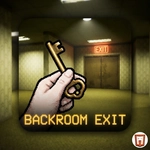
Yellow wallpaper stretches forever and the hum never stops. Can you find the exit before the lights flicker out?
💬What is Backroom Exit?
The first thing that hits you is the sound. That low fluorescent buzz that never lets up, like being trapped inside an office building after hours. Backroom Exit drops you into the infamous yellow-walled maze and asks one question: how far are you willing to go to get out? You wander from room to room, each identical at first glance—beige carpet, fluorescent panels, no windows. But slowly the place starts revealing its tricks.
Movement is simple: WASD or arrows plus mouse look, left click to interact. You'll find items scattered around—a keycard, a flashlight battery, maybe a crowbar if you're lucky. Mouse wheel swaps inventory, which becomes second nature once you realize the exit door isn't just going to open for you. I kept getting turned around in the endless corridors until I started leaving mental breadcrumbs. That's the game's secret weapon: it messes with your spatial memory. Touch players get an on-screen joystick and hand button, which works surprisingly well for this kind of crawling horror.
There's no combat here, no jump scares every five seconds. The horror is slower, more psychological. You'll spot a chair in the wrong place, a doorway that wasn't there before. Some items only spawn after you interact with certain objects, so explore every corner. The inventory system is basic but tense—you can only hold so much, and dropping the wrong thing at the wrong time can leave you stuck. It's a short experience, but one that lingers. Good for a creepy afternoon session when you want that liminal dread.
👥How to Play Backroom Exit
Use the WASD or arrow keys to move.
Use the mouse to rotate the view.
Left click to interact.
mouse scroll to swap inventory items
With TouchScript you can move using the joypad.
Interact with the hand button.
Select inventory items to equip them.
Swipe t
✨Game Tips
Memorize landmarks early: a stained ceiling tile or broken chair can save you from walking in circles.
Swap inventory with mouse wheel often—don't let a dead flashlight battery hog a slot.
Interact with everything you can reach; some doors unlock only after you move an unrelated object.
If you're on touch, the hand button pulses when you're close enough to interact.
Keep your back to a wall when checking a new room so you don't lose your orientation.
The exit usually isn't behind you. Push forward but track your turns.
🔧FAQ
Q: Is Backroom Exit free to play?
A: Yes, it's free in your browser with no paywalls or hidden fees.
Q: Do I need to download anything?
A: No download needed. It runs on HTML5 so it loads instantly in most modern browsers.
Q: Can I play Backroom Exit on mobile?
A: Yes, touch controls with an on-screen joystick and hand button work on phones and tablets.
Q: What are the controls for Backroom Exit?
A: Use WASD or arrow keys to move, mouse to look, left click to interact, and mouse wheel to swap inventory.
Q: Is Backroom Exit a horror game?
A: It has a creepy liminal atmosphere but no combat or constant jump scares. More psychological tension.
Q: How long does it take to finish?
A: Most players escape in 15-30 minutes depending on how lost you get. Replays for different exits.