
Batman Coloring Book
Play Count0
Published2021-09-22
Supported DevicesPC + Mobile
CategoryFun & Crazy
Rating★★★★★5.0Rate this game
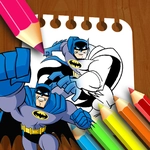
📝Batman Coloring Book Overview
Grab a virtual brush and decide once and for all whether the Dark Knight rocks purple, neon green, or classic black.
💬What is Batman Coloring Book?
Forget staying inside the lines — this is Batman, so brooding shadows and dramatic grays are expected, but nobody's stopping you from giving the Joker a pastel makeover. The setup is dead simple: pick a color from the palette, then click or drag across the outlined sections to flood them with pigment. It's like those physical coloring books, minus the crayon wax under your fingernails and the argument with your sibling over who gets the black.
I caught myself spending way too long on the Bat-Signal alone. There's something weirdly meditative about filling that giant spotlight beam with hot pink while your brain keeps whispering 'canonically yellow.' You get a handful of different Batman-themed scenes — some with the Batmobile, some with rooftop poses, all with thick, clean line art that makes even sloppy clicks look intentional. The color picker has enough shades to keep a perfectionist busy for a while, but no pressure to match any official costume guide.
This is one of those games you open for five minutes to kill time and then realize you've recolored the entire rogue's gallery. Kids will love the simple drag-to-fill mechanic, and adults might secretly enjoy the low-stakes creative outlet. No timers, no scores, no bosses — just you and Gotham's finest under a rainbow filter.
👥How to Play Batman Coloring Book
Use the Mouse
Drag to Coloring!
✨Game Tips
Test colors on small areas first — some sections are close together and you don't want an accidental neon blob on Batman's face.
Use the drag motion instead of single clicks for larger areas like the sky or the Batmobile body; it fills faster and smoother.
If you mess up, just pick the original white or gray tone and click over the mistake — it's not permanent.
Try a monochrome challenge: only shades of blue or only reds for a weird elseworlds vibe.
Zoom in if your browser supports it; some of the finer lines on the utility belt are easy to overshoot.
Save a screenshot of your finished work — there's no in-game gallery, so screen capture is your only trophy.
🔧FAQ
Q: Is Batman Coloring Book free to play?
A: Yes, it's completely free on this unblocked games site with no hidden charges.
Q: Do I need to download anything?
A: No downloads or installs. It runs right in your browser as an HTML5 game.
Q: Can I play on my phone or tablet?
A: Yes, the touch controls work on mobile devices — just drag your finger to color.
Q: How many pictures are there?
A: The game includes several Batman-themed scenes, but exact count may vary depending on the version.
Q: Does it work on a school computer?
A: Since it's unblocked and browser-based, it usually works on school networks without extra software.
Q: Is there a way to undo a color?
A: No undo button, but you can always recolor over the area with white or another shade.