
Battle Simulator: Counter Stickman
Play Count0
Published2020-11-02
Supported DevicesPC
CategoryAction & Fighting
Rating★★★★★5.0Rate this game
📝Battle Simulator: Counter Stickman Overview
Command an army of wobbly stickmen, counter the enemy's every move, and watch the chaotic battle unfold before your eyes.
💬What is Battle Simulator: Counter Stickman?
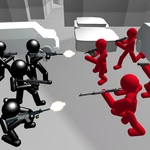
You're handed a budget and a battlefield, then told to place stickmen who'll fight on their own once you hit start. That's the core loop here, and it's absurdly satisfying. Drag archers, swordsmen, spearmen, or whatever else you can afford onto your side of the line. The moment you let go, they wobble forward, flail their weapons, and usually trip over each other. I spent a good ten minutes just placing a single spearman against a sword rush to see if he'd get punted across the map. He did.
What makes Counter Stickman different from other auto-battlers is the counter system. Each unit type has a clear strength and weakness, so you'll need to read the enemy's lineup before committing yours. The first time I spammed archers against a wall of shield guys, they got steamrolled in seconds. Then I switched to heavy infantry and watched the shields shatter. The physics kick in hard here—stickmen go flying, limbs bend at impossible angles, and bodies pile up in gloriously silly ways. It's not a serious war sim, but it scratches that tactical itch without making you micromanage anything.
The mouse does all the work: click to select, drag to place, and release to watch. No keyboard needed, which is perfect for a quick break. The AI isn't brilliant, but it doesn't need to be—the fun comes from experimenting with weird unit combos and seeing what collapses first. You'll fail a lot, but each failure teaches you something, and restarting takes two seconds. If you like dumb physics, stickman chaos, or just need a five-minute distraction, this one delivers.
👥How to Play Battle Simulator: Counter Stickman
use the mouse
✨Game Tips
Scout the enemy's first wave before spending your whole budget — wait a few seconds to see what they're fielding.
Range units counter slow melee, but they crumble if something fast closes the gap.
Don't bunch your stickmen together; one area attack or a lucky swing will wipe the whole group.
Save a chunk of money for a late heavy unit as a counter to whatever the AI throws mid-battle.
Drag units quickly with the mouse — you can place multiple stickmen while the battle is already running.
If a strategy fails, switch unit types completely instead of making small tweaks.
🔧FAQ
Q: Is Battle Simulator: Counter Stickman free to play?
A: Yes, the game is completely free on unblocked games sites. No payment or sign-up required.
Q: Can I play Battle Simulator: Counter Stickman on mobile?
A: The HTML5 version works in mobile browsers, though dragging units is easier with a mouse or touchscreen.
Q: Do I need to download anything to play?
A: No downloads needed. Just open the game page in your browser and it loads instantly.
Q: How do I control the stickman units?
A: Use the mouse to select and drag units onto the battlefield. Release to place them; they fight automatically.
Q: Can I play Battle Simulator: Counter Stickman at school?
A: Yes, the unblocked version is designed to bypass school filters, so it usually works on restricted networks.
Q: What is the goal of the game?
A: Defeat all enemy stickmen by placing your own units strategically, taking advantage of unit type counters.