
Beach Jigsaw
Play Count0
Published2020-09-18
Supported DevicesPC + Mobile
CategoryArcade & Classic
Rating★★★★★5.0Rate this game
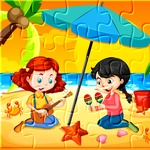
📝Beach Jigsaw Overview
Sort the sandy edges, find that one umbrella corner piece, and let the ocean breeze carry you through a no-pressure jigsaw break.
💬What is Beach Jigsaw?
There's something oddly satisfying about Beach Jigsaw, and it's not just the pictures of sun, sand, and surf. The game keeps things simple: you get a pile of jumbled pieces and a board that needs filling. No timer ticking down, no score multiplier, no pressure. Just you, your mouse, and a puzzle that slowly comes together. I found myself zoning out in the best way—sorting pieces by color, hunting for that one chunk of blue sky or the white foam where a wave breaks. The pieces snap into place with a soft click, and every correct placement feels like a tiny win.
What kept me coming back was the tactile rhythm of it. You can drag pieces right onto the board and wiggle them around until they lock. The game reads your mouse or touch input smoothly, so even on a laptop trackpad it doesn't feel janky. If you're the type who starts with corners and edges, you'll feel right at home. The beach scenes themselves are bright enough to make you forget it's raining outside, and the piece shapes are distinct enough that you won't mix up a palm frond with a towel. It's the kind of game you open for five minutes and then blink and realize twenty have gone by.
One small thing: don't expect a story or unlockables. This is pure puzzle, the way jigsaws used to be. And honestly? That's enough. Whether you're killing time between classes or winding down after a long day, Beach Jigsaw is a quiet little corner of the internet that asks for nothing but a bit of patience.
👥How to Play Beach Jigsaw
Use mouse or touch pad to play this game.
✨Game Tips
Start by pulling all the edge pieces to one side—the corners are the easiest footholds.
Work on high-contrast areas like the sky or water first; sand tones can blur together.
Drag a piece near where you think it belongs before fine-tuning; the snap detection is generous.
Use the full preview picture as a mental map instead of guessing piece-by-piece.
If a piece won't fit, set it aside rather than forcing it—you'll spot its spot later.
Switch to touch controls on a tablet for a more natural jigsaw feel.
🔧FAQ
Q: Is Beach Jigsaw free?
A: Yes, it's completely free to play in your browser.
Q: Can I play Beach Jigsaw on my phone?
A: The game works with touch controls, so mobile browsers are supported.
Q: Do I need to download anything?
A: No downloads or installs—just open the page and start puzzling.
Q: Can I choose different pictures or difficulty levels?
A: The game offers beach-themed jigsaws; piece counts may vary depending on the version.
Q: How do I rotate pieces in Beach Jigsaw?
A: Most pieces are already oriented correctly, so you only need to drag and drop them.
Q: Does the game save my progress?
A: Progress saves automatically in your browser, so you can close and return to the same puzzle.