
Bee and Flower
Play Count0
Published2026-01-16
Supported DevicesPC + Mobile
CategoryFun & Crazy
Rating★★★★★5.0Rate this game
📝Bee and Flower Overview
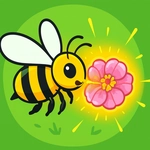
Guide a tiny bee through a garden maze to reach the waiting flower — one wrong twitch and you're stuck backtracking.
💬What is Bee and Flower?
I'll be honest — I opened Bee and Flower expecting a five-second distraction, and then I lost twenty minutes to a bee that absolutely refuses to fly in a straight line. You move your mouse, the bee follows, but there's a lag and a wobble that makes every approach feel like threading a needle. The goal couldn't be simpler: get the bee from wherever it's buzzing to the flower on the other side of the screen. Touch the flower's center and you're done. The catch? The garden hates shortcuts. Leaves, twigs, other bugs, and sudden gusts (okay, maybe just moving obstacles) keep nudging you off course.
What got me was how the bee behaves. It doesn't just glide to your cursor; it sort of drifts and accelerates, so if you overcorrect you end up doing a loop around the flower like you're trying to parallel park a bumblebee. I found the sweet spot was to move my mouse in slow, deliberate curves and let the bee settle into each turn before aiming for the next gap. There's no timer, no lives, no pressure — until you miss the flower for the third time in a row and start questioning your fine motor skills.
For a hypercasual game, it nails that 'one more try' feel. Each level introduces a slightly different maze of obstacles, and the flower sometimes hides behind moving petals or sits on a platform that forces you to approach from below. It's perfect for killing a few minutes between classes, and the bright, cheerful colors keep it feeling light even when your cursor control is not. Just don't blame me if you start hearing buzzing in your sleep.
👥How to Play Bee and Flower
Use mouse to play.
✨Game Tips
Drag your mouse in wide, lazy circles instead of flicking — the bee's drift means sudden stops will overshoot the flower.
Aim for the flower's center from a slight angle; coming in perpendicular gives you more room to correct.
If a moving leaf is blocking you, wait for the gap instead of trying to squeeze through mid-swing.
Don't chase the cursor with the bee; let the bee catch up to the cursor. Short, controlled moves work better.
Use the edges of the screen to reset your mouse position without moving the bee too far off course.
Treat each level as a mini maze — plan your route backwards from the flower to find the clearest path.
🔧FAQ
Q: Is Bee and Flower free to play?
A: Yes, it's completely free in your browser with no hidden payments.
Q: Do I need to download anything to play Bee and Flower?
A: No download needed. It runs instantly on any device with a modern web browser.
Q: Can I play Bee and Flower on my phone or tablet?
A: The game uses mouse controls, so a desktop or laptop gives the best experience. Touch devices may not work well.
Q: What are the controls for Bee and Flower?
A: Move your mouse cursor, and the bee follows it. Clicking isn't required.
Q: Does Bee and Flower have levels or is it endless?
A: It has multiple short levels that gradually add more obstacles between you and the flower.
Q: Is Bee and Flower good for young kids?
A: Yes, it's non-violent, colorful, and easy to understand, though younger kids may need help with precise mouse control.