
Ben 10 Mission Impossible
Play Count0
Published2021-05-11
Supported DevicesPC
CategoryAction & Fighting
Rating★★★★★5.0Rate this game
📝Ben 10 Mission Impossible Overview
Alien threats don't wait—and neither does Ben Tennyson when the Omnitrix starts flashing.
💬What is Ben 10 Mission Impossible?
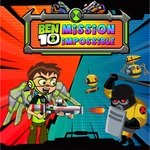
Ben 10 Mission Impossible drops you straight into a firefight with the kind of chaos that made the cartoon fun. You control everything with the mouse: move the cursor to target, click to fire, and click the alien icons at the bottom to switch forms. Each alien has a different projectile pattern and fire rate—Heatblast lobs fireballs, XLR8 feels like a rapid-fire peashooter, and Diamondhead can punch through tougher enemies. It's simple to pick up, but the later waves don't mess around.
What caught me off guard was how quickly the screen fills up. Enemies pour in from the sides, some crawl, some hover, and a few soak up hits like they're made of rubber. You can't just hold the mouse button and pray; you need to prioritize the bigger threats before they close in. I kept losing to the same wave until I started saving my heavy hitters for the armored drones instead of wasting them on the small fry. That little shift turned a frustrating run into a satisfying one, and I ended up replaying just to nail a perfect clear.
The mouse-only control sounds limiting, but it works because the speed is the challenge. You're not wrestling with a keyboard; you're flicking the cursor across the screen like a laser pointer and hoping your aim holds. If you've got a decent mouse and a quick wrist, this one's a proper arcade throwback with a Ben 10 skin. Play it unblocked during a break and you'll see what I mean—just don't blame me if your arm gets sore.
👥How to Play Ben 10 Mission Impossible
Mouse Control
✨Game Tips
Swap aliens the moment you see a cluster of small enemies, not after they're already on top of you.
Save Diamondhead or your heaviest hitter for armor; don't waste it on chaff.
Don't hold the fire button nonstop—tap to keep your aim steady when enemies zigzag.
Watch the edges of the screen; spawns often come from the sides where you're not looking.
If a wave feels impossible, change your alien order before restarting.
Keep the cursor slightly ahead of moving enemies, not directly on them.
🔧FAQ
Q: Is Ben 10 Mission Impossible free to play?
A: Yes, it's completely free. There are no paywalls or locked characters.
Q: Can I play Ben 10 Mission Impossible on my phone?
A: The game uses mouse controls, so it's best on a desktop or laptop. Mobile touch screens aren't officially supported.
Q: Do I need to download or install anything?
A: No download needed. It runs in your browser as an HTML5 game, so just open the page and play.
Q: What are the controls for Ben 10 Mission Impossible?
A: Move your mouse to aim and click to fire. Click the alien icons at the bottom of the screen to change forms.
Q: Is Ben 10 Mission Impossible safe for kids?
A: Yes, it's a cartoon action game with no blood or gore. It's fine for younger Ben 10 fans.
Q: Why does the game sometimes feel hard?
A: Later waves throw many enemies at once. Switching aliens and targeting bigger threats first makes it much easier.