
Big Boats Coloring
Play Count0
Published2020-12-14
Supported DevicesPC
CategoryArcade & Classic
Rating★★★★★5.0Rate this game
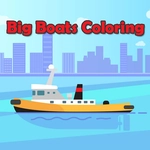
📝Big Boats Coloring Overview
Grab your digital paints and turn those massive hulls into floating masterpieces—no sea legs required.
💬What is Big Boats Coloring?
I wasn't expecting much from a coloring page, but Big Boats Coloring has a weird pull. You get these big, bold boat outlines—cargo ships, cruise liners, maybe a tugboat or two—and a palette that's just begging to be abused. The first thing I did was paint a cruise ship's smokestack neon green. No regrets. The fills are clean, so you don't get those annoying white gaps at the edges if your aim is slightly off.
The whole thing runs on mouse or tap, which makes it dangerously easy to play while half-watching something else. You tap a section, tap a color, and the area floods instantly. No undo button that I found, but that's part of the charm—it forces you to commit to your terrible color choices. There's no timer, no score, no way to lose. Just you and a digital marina of massive hulls waiting for a paint job.
If you've got a kid nearby, they'll probably take over. But I'll admit I kept a tab open for stress breaks. There's something meditative about turning a freighter's containers into a rainbow mess at 11pm. It's not deep, it won't test your reflexes, but it does exactly what it should: lets you color big boats until you feel slightly more human. Works in any browser without downloads too.
👥How to Play Big Boats Coloring
Use your mouse to play or tap on the screen!
✨Game Tips
Pick the hull color first, then work on smaller details like portholes and flags so you don't smudge your plan.
Tap the same area twice if the fill seems patchy; sometimes the game needs a second click to catch every pixel.
Don't sleep on the weird palette colors—pink cargo ships are way more fun than gray ones.
Use a stylus or your finger on mobile for precise taps on small sections like railings or anchors.
Zoom in if your browser allows it; small areas like lifeboats are easier to color without spilling into the water.
Save a screenshot of your finished boat and use it as a desktop background, because why not?
🔧FAQ
Q: Is Big Boats Coloring free?
A: Yes, it's completely free to play in your browser with no hidden fees.
Q: Can I play on my phone?
A: Absolutely. It works with touch controls on any mobile browser.
Q: Do I need to download anything?
A: No downloads. Just open the page and start coloring.
Q: Does it work on a school Chromebook?
A: Yes, it runs fine on low-end devices and Chromebooks since it's just HTML5.
Q: Can I save my colored boat?
A: You can take a screenshot to keep your artwork; the game doesn't have a built-in save system.
Q: Is there a way to undo a color?
A: Not that I've found. Once you tap a color, it's on the boat, so choose carefully.