
Billiards Jigsaw
Play Count0
Published2021-08-11
Supported DevicesPC
CategoryPuzzle & Thinking
Rating★★★★★5.0Rate this game
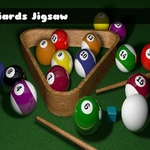
📝Billiards Jigsaw Overview
Forget perfect breaks and bank shots — the real challenge here is figuring out which jagged piece goes where.
💬What is Billiards Jigsaw?
You know that weird satisfaction when a jigsaw piece clicks just right? Billiards Jigsaw taps into that same itch, except every completed image is some variation of pool balls, cues, or a messy table. I wasn't expecting much from a browser jigsaw, but the images have enough color contrast that you're not squinting at fifty identical green felt patches. Well, okay, sometimes you are.
The controls are dead simple: click and drag a piece from the side pile onto the board, then keep nudging it until it snaps. If you've played a digital jigsaw before, you already know the drill. What makes this one a bit trickier is the billiards theme — lots of spheres with similar numbers and shadows. That striped 9 ball looks a lot like the striped 11 ball until you flip a piece and realize you put it in the wrong corner. I spent a good minute convinced two edge pieces were swapped before realizing the table rail had a reflection that broke the pattern.
Don't come here for speedrun glory or deep mechanics. It's a chill puzzle to kill ten minutes, maybe while waiting for something else to load. The difficulty stays on the easier side, with clear piece shapes and a smallish board, so it's decent for kids too. If you just want to click around and watch a billiards scene come together, this does the job without making you download anything or sign up.
👥How to Play Billiards Jigsaw
Mouse Drag And Drop
✨Game Tips
Start with edge pieces — the rectangular corners and flat sides are easiest to spot.
Sort by color early: green felt, wood rail, shiny balls, each goes to a different zone.
If a piece won't snap, zoom out or check if it's flipped; some browsers show a slight outline.
Don't force a piece into the wrong spot — lift and try another edge before you get frustrated.
Use the reference thumbnail if available; it saves you from guessing ball numbers.
Work in small sections: assemble a ball fully before moving to a similar-looking one.
🔧FAQ
Q: Is Billiards Jigsaw free to play?
A: Yes, it's completely free in your browser with no paywalls or premium unlocks.
Q: Do I need to download anything to play Billiards Jigsaw?
A: No download needed. It runs as an HTML5 game, so just open the page and start dragging pieces.
Q: Can I play Billiards Jigsaw on my phone?
A: Yes, the drag and drop controls work with touch on most mobile browsers.
Q: What do I do if a piece won't snap into place?
A: Try zooming or refreshing the page. Some pieces need to be dropped very close to the correct spot.
Q: Is Billiards Jigsaw suitable for kids?
A: Definitely. There's no violence or time pressure, and the puzzle pieces are large enough for younger players.
Q: Does Billiards Jigsaw have multiple images or difficulty levels?
A: It may offer a few billiards-themed pictures, but the core gameplay stays the same drag-and-drop style.