
Block 3D
Play Count0
Published2022-05-26
Supported DevicesPC + Mobile
CategoryPuzzle & Thinking
Rating★★★★★5.0Rate this game
📝Block 3D Overview
Stack, rotate, and balance 3D blocks in a race against the grid—one wrong move and it all comes tumbling down.
💬What is Block 3D?
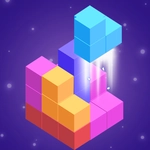
You know that quiet satisfaction when a block clicks into place? Block 3D stretches that moment across every layer of a three-dimensional cube. The core loop sounds simple: drag a piece from the queue, spin it around, and drop it onto a floating grid. But the grid isn't flat, and gravity isn't your friend. I lost count of how many times I thought I had a perfect corner only to watch the whole tower lean, shiver, and collapse into a pile of colored rubble. That's the hook—not the falling, but the split second where you understand exactly why it fell and start again.
The camera orbit is your best weapon. Holding right-click or swiping with two fingers spins the view, and I found myself circling every new block like a suspicious shopper at a fruit stand. Some levels demand height; others want you to fill a weird L-shaped silhouette without leaving gaps. The trick is patience. Big blocks are seductive—they clear space fast—but they also lock up the interior and force ugly compromises later. I started treating each placement like a chess move, mapping out three steps ahead. Does that sound obsessive? Maybe, but I kept coming back for one more go, because the moment a flawless stack reaches the target line feels earned in a way most browser puzzles can't touch.
There's no timer, no lives, no pressure. Just you, a slowly shrinking cursor, and the quiet hum of a 3D engine that never judges. The blocks have that soft plastic sheen and a satisfying click when they land. If you need a break from twitchy shooters or endless runners, Block 3D is a pocket of calm that still manages to raise your pulse when the tower starts to sway.
👥How to Play Block 3D
Mouse or tap to play.
✨Game Tips
Rotate every block before you place it—a 90-degree turn often turns a near-miss into a perfect fit.
Don't trust the top-down view. Spin the camera low to check for overhangs and hidden gaps.
Large blocks are tempting, but they block the center. Save them for the outer rim or final layers.
Build a solid base first. A wobbly foundation will haunt you once you're ten layers up.
If a level offers a preview of the next piece, study it. The trick is solving two problems at once.
When in doubt, fill the center. Edge gaps can be patched, but a hole in the middle will topple everything.
🔧FAQ
Q: Is Block 3D free to play?
A: Yes, it's completely free with no hidden paywalls or premium options.
Q: Can I play Block 3D on my phone?
A: Absolutely. The touch controls work smoothly on mobile browsers without any extra setup.
Q: Do I need to download or install anything?
A: No downloads needed. It runs straight in your browser as an HTML5 game.
Q: Does Block 3D work on school or work networks?
A: Usually yes, since it's unblocked and doesn't require flash or special plugins.
Q: What are the controls for Block 3D?
A: Use your mouse to drag and drop blocks, or tap on touchscreens. Right-click or swipe with two fingers to rotate the camera.
Q: Is there a way to undo a bad move?
A: There's no undo button, so you'll need to think carefully before placing each block.