
Block Master: Polygonal Puzzle
Play Count0
Published2026-02-11
Supported DevicesPC + Mobile
CategoryArcade & Classic
Rating★★★★★5.0Rate this game
📝Block Master: Polygonal Puzzle Overview
Drag odd-shaped polygonal blocks until the board snaps into a perfect rectangle—then brace yourself, because the shapes only get weirder.
💬What is Block Master: Polygonal Puzzle?
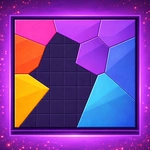
Block Master: Polygonal Puzzle doesn't waste time with tutorials or lore. You pick a stage, get a pile of angular chunks, and the board stares at you—empty except for the outline of a shape you need to fill. The premise is pure tangram energy: drag pieces, rotate them, and nudge them together until every square inch is covered. Sounds simple, right? Then stage 12 drops a piece that's 60% triangle but has a weird notch, and you spend five minutes convinced the game is broken before the solution clicks. That moment—when the impossible shape suddenly becomes obvious—is the entire reason to keep playing.
The stages are sorted into difficulty bundles, so you can dip into easy ones to warm up or jump straight to the harder sets if you're feeling cocky. I kept bouncing between them because the early stages lull you into a rhythm, then the later ones punish laziness. There's no timer, no score penalty for mistakes, just you and the board. It's almost meditative, except when it's infuriating. The visuals are clean, the shapes snap with a satisfying little click, and there's no clutter to distract from the pure geometry.
Honestly, this is one of those games you open for two minutes and emerge from an hour later, having burned through thirty stages without noticing. It runs fine in a browser tab, and the controls are just mouse drags, so it works equally well on a trackpad or a touchscreen. If you like spatial puzzles that make you feel smart after each solve, this one's a keeper.
👥How to Play Block Master: Polygonal Puzzle
Your goal is to beat as many stages as you can.
Theyre grouped by how easy they are, so start with whatever feels right for you.
Once you pick a stage, just fill the whole board with the shapes they give you.
Put the shapes next to each other so it makes
✨Game Tips
Rotate stubborn pieces before you commit to a spot—sometimes the second angle is the one that fits.
Fill corners first; the board's outline will tell you exactly which shape belongs there.
Drag a piece to the edge and let it snap, then build inward from that anchor.
If a piece seems impossible, take it back to the tray and try a completely different section of the board.
Bigger polygons are easier to place early, leaving the small odd shapes to fill the gaps.
No move limit means you can experiment freely, so don't be scared to break everything apart and start over.
🔧FAQ
Q: Is Block Master: Polygonal Puzzle free to play?
A: Yes, it's completely free and runs in your browser with no paywalls.
Q: Do I need to download anything to play?
A: No downloads—just open the game page and start dragging blocks.
Q: Can I play Block Master: Polygonal Puzzle on my phone?
A: Yes, the touch and drag controls work fine on mobile browsers.
Q: Are there any time limits or move penalties?
A: No timers or move counters. You can experiment and reset as much as you want.
Q: How do I rotate a piece?
A: Click or tap a piece to select it, then use the rotate button or right-click depending on the version.
Q: Does the game save my progress?
A: It typically saves completed stages in your browser, so you can come back later.