
Block Merge City
Play Count0
Published2025-07-18
Supported DevicesPC + Mobile
CategoryPuzzle & Thinking
Rating★★★★★5.0Rate this game
📝Block Merge City Overview
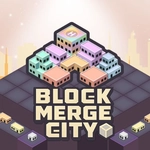
Place blocks, match three identical ones, and watch them merge into taller buildings as your city grid slowly transforms from empty lots to a skyline.
💬What is Block Merge City?
Block Merge City lulls you in with a clean grid and a row of cute little blocks, but don't mistake that for simplicity. The core loop is straightforward—click an empty cell to drop the next block, match three of the same kind, and they merge into a taller building. What starts as a cozy little neighborhood quickly becomes a test of spatial planning. I found myself counting every cell, because once the board fills with mismatched low-level blocks, you're one bad placement away from a dead end.
The real tension comes from the queue. You can see what's coming, but not far enough ahead to be comfortable. Do you place the current block to set up a triple later, or hold out hope the next one fits? I had a beautiful moment where I deliberately left a gap, placed a level 1 house next to two others, and suddenly watched three houses collapse into a level 2 apartment. Then the hammer icon started glowing and I realized you can smash unwanted blocks to open space. That's the safety valve, but hammers are limited, so you can't rely on them.
The game ends when no more placements are possible, and it happens faster than you'd expect if you're not careful. The trick is to keep similar blocks near each other without blocking off entire sections. It's the kind of game that's perfect for a quick brain break, but you'll end up saying 'just one more round' as the city skyline grows. No downloads, no ads that get in the way, just pure merge logic that scratches an itch you didn't know you had.
👥How to Play Block Merge City
Click on an empty cell on the board to place the next block from the queue. Match 3 or more identical blocks to merge them into a higher-level building. Earn points and use hammers to remove unwanted blocks. The game ends when no more placements are possi
✨Game Tips
Keep low-level blocks grouped by type—scattering them across the board makes merging a nightmare.
Save hammers for level 2+ blocks that are blocking critical merges, not for early clutter.
Watch the upcoming block in the queue before placing; sometimes waiting one turn gives you a triple.
Prioritize filling corners and edges with blocks you don't need, preserving the center for combos.
If you see two identical blocks adjacent, don't place the third until you've checked the whole board for a better cluster.
Don't let the board exceed 70% full with unmatched blocks—start consolidating before it's too late.
🔧FAQ
Q: Is Block Merge City free to play?
A: Yes, it's completely free with no hidden paywalls.
Q: Can I play Block Merge City on my phone?
A: Absolutely—it works in any mobile browser with touch controls.
Q: Do I need to download anything to start playing?
A: No downloads needed; it runs directly in your browser as an HTML5 game.
Q: What does the hammer do in Block Merge City?
A: The hammer removes one unwanted block from the board so you can free up space.
Q: How do I get more hammers?
A: Hammers are earned by scoring points through successful merges or appear as occasional bonuses.
Q: What happens when the board fills up completely?
A: The game ends if no more valid placements exist, so plan ahead and merge early.