
Block Stack
Play Count0
Published2022-01-18
Supported DevicesPC + Mobile
CategoryArcade & Classic
Rating★★★★★5.0Rate this game
📝Block Stack Overview
How high can you stack those colorful blocks before the tower leans too far and your next click sends the whole thing tumbling down in a glorious mess?
💬What is Block Stack?
Block Stack is the kind of game you open for two minutes and accidentally play for an hour. You click or tap to drop a swinging block onto a stack. The block slides left and right, and you have to judge when it's perfectly aligned with the block below. Land it centered and the stack grows cleanly. Land it off-center and the overhang becomes the new base for the next block. That's where the tension lives. One sloppy drop, and the whole tower starts to lean. Two more bad drops, and it's game over.
I remember a run where I hit 47 blocks. The tower was almost completely vertical, but then I got cocky. I tried to speed up, clicked a fraction too soon, and watched the whole thing tip over in slow motion. There's no undo button. You just reset and try again. That's the magic—the game punishes greed, but it also rewards patience more than anything. You don't need fast reflexes, just a steady rhythm and the ability to read the swing pattern. Sometimes the block moves faster as the stack grows, but it's never unfair.
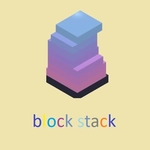
Visually, it's simple: a clean background, a colorful block, a stack that wobbles realistically. The sound effects are satisfying, a low thunk each time a block locks in. If you want a game that tests your focus without any complicated rules, this is it. It's pure, distilled timing. And yes, I've rage-quit at 12 blocks. You probably will too.
👥How to Play Block Stack
Click - Touch
✨Game Tips
Watch the shadow under the moving block; it marks exactly where your block will land, so trust that outline over the visual swing.
Don't chase perfect centering on early blocks—a tiny overhang is okay, but correct it before it compounds into a lean.
Pause for half a second when the block crosses the center, then click. Rushing is the number one cause of wobbly towers.
If your stack starts tilting right, intentionally drop the next block slightly left of center to nudge it back.
Turn on sound. The audio thunk is not just satisfying; it's a timing cue that helps you lock into a rhythm.
Keep your hand relaxed. Tensing up makes your clicks jerky, and jerky clicks lead to off-center drops.
🔧FAQ
Q: Is Block Stack free to play?
A: Yes, Block Stack is completely free. No hidden paywalls or premium versions—just open and play.
Q: Can I play Block Stack on my phone?
A: Absolutely. The game uses touch controls, so it works great on mobile browsers. Just tap to drop the block.
Q: Do I need to download anything to play Block Stack?
A: No downloads required. It runs directly in your browser as an HTML5 game, so no installs or plugins needed.
Q: What are the controls for Block Stack?
A: Click the mouse or tap the screen to drop the block. That's it—one button for the whole game.
Q: Is Block Stack suitable for kids?
A: Yes, it's family-friendly. No violence or inappropriate content, and it helps build timing and focus skills.
Q: Can I play Block Stack offline?
A: You need an internet connection to load the game in your browser, but once it's open, the gameplay doesn't rely on constant data.