
BLOCKINS
Play Count0
Published2026-08-21
Supported DevicesHTML5
CategoryPuzzle & Thinking
Rating★★★★★5.0Rate this game
📝BLOCKINS Overview
Stack falling blocks into clean lines before the screen overflows—how long can you last in this lightning-fast puzzle?
💬What is BLOCKINS?
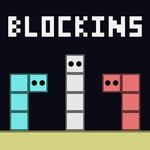
When I first loaded BLOCKINS, I expected another Tetris clone. Five minutes in, the game had me grinning like an idiot. You're dropping blocks from the top of a vertical well, rotating and shifting them to fill horizontal lines that vanish on completion. The twist? Blocks sometimes have odd shapes that refuse to cooperate, and the speed ramps up just when you think you've found your rhythm. It's simple to learn, but the later waves demand a mix of quick reflexes and planning ahead.
There's a moment when you're one line away from clearing a messy pile, and a long I-piece finally drops. You slam it into the perfect gap, the line clears, and the whole stack collapses with a satisfying crunch. That's the dopamine hit BLOCKINS nails. I kept coming back just for that feeling. The controls feel responsive—arrow keys or on-screen taps both work—and the clean visuals keep the focus on the blocks, no distracting gimmicks.
What surprised me is the subtle strategy. You can't just dump blocks anywhere; mismatched corners will come back to haunt you when the speed spikes. Some versions even have a hold button or a next-piece preview, which changes everything. Try climbing the high-score leaderboard if the game offers one—competition with yourself is the real hook. No downloads, no sign-ups. Just open the page and start stacking.
✨Game Tips
Always check the next-piece preview before committing a block—if you see an I-piece, leave a vertical gap open.
Don't chase single-line clears early on; build up a messy stack and cash in with a Tetris for huge points.
Use the hold function (if available) to stash a troublesome piece for later when it fits better.
When speed increases, focus on the bottom rows and ignore the top until you absolutely must patch holes.
Tap the rotate button twice to spin a piece 180 degrees—faster than rotating three times.
If you're on mobile, use both thumbs: one for movement, one for rotation, to keep up at high speeds.
🔧FAQ
Q: Is BLOCKINS free to play?
A: Yes, BLOCKINS is completely free on Unblocked Games. No hidden fees or premium unlocks—just load the page and start stacking.
Q: Can I play BLOCKINS on my phone?
A: Absolutely. The game works in any modern browser on mobile, with touch controls for rotating and moving blocks. Just tap and swipe.
Q: Do I need to download anything to play BLOCKINS?
A: No download needed. It runs directly in your browser using HTML5, so you can start playing instantly without installing any apps.
Q: How do I rotate blocks in BLOCKINS?
A: Use the up arrow or X key on desktop, or tap the screen on mobile. Some versions let you swipe to rotate.
Q: Is BLOCKINS safe for kids?
A: Yes, there's no violence, gore, or inappropriate content. It's a clean puzzle game suitable for all ages.
Q: Can I play BLOCKINS offline?
A: Once the game loads in your browser, you can keep playing if your connection drops, but you'll need internet to start it initially.