
Blocks: Fill and Clear
Play Count0
Published2025-01-30
Supported DevicesPC + Mobile
CategoryPuzzle & Thinking
Rating★★★★★5.0Rate this game
📝Blocks: Fill and Clear Overview
Drag each block onto the grid and clear full lines before the board overflows—Blocks: Fill and Clear keeps the pressure on.
💬What is Blocks: Fill and Clear?
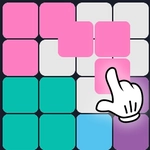
You get a random assortment of shapes—some L-shaped, some straight, some chunky squares—and you drag them onto a grid. Fill a full row or column and it vanishes, giving you more room. The catch? New blocks keep coming and you can't rotate them. So you're stuck with whatever orientation the game hands you. I lost count of the times I cursed a horizontal three-block line that just wouldn't fit anywhere.
It sounds simple, and it is, but that's exactly why it's so hard to stop. There's no timer, no lives, no enemies—just you versus the shrinking empty space. You'll spot a perfect spot for a straight piece, then the next block is a fat 2x2 that ruins everything. I found myself holding my breath when the board got down to a few narrow gaps. The drag mechanics are tight, and on touchscreens it's effortless to slide blocks into place with a thumb.
The real kicker is that clearing multiple lines at once—say, a vertical and horizontal with one placement—feels unreasonably good. That little cascade of disappearing tiles gives you just enough breathing room to keep going. There's no upgrade system or story, and honestly that's fine. Blocks: Fill and Clear knows what it is: a pure, brain-tickling filler that you can play for three minutes or three hours. Just don't blame me when you start seeing block shapes when you close your eyes.
👥How to Play Blocks: Fill and Clear
Fill the field with blocks
You are given random blocks that need to be placed on the playing field. Drag them with the mouse or your finger.
Collect lines
Place blocks to fill horizontal or vertical lines.
✨Game Tips
Aim to clear vertical lines early—they're harder to set up later when the board gets crowded.
Don't hoard the 1x1 blocks; they're perfect for filling annoying single gaps.
Try to keep at least one empty row or column open as a 'safety lane' for long straight pieces.
If a block doesn't fit anywhere, check for placements that would set up a future double-line clear even if it creates a small hole.
On mobile, drag slowly near edges—the game can drop the block if you flick too fast.
Clearing two lines at once with one block is the best way to reset tempo when the board feels clogged.
🔧FAQ
Q: Is Blocks: Fill and Clear free?
A: Yes, it's completely free to play in your browser.
Q: Can I play Blocks: Fill and Clear on mobile?
A: Absolutely—drag blocks with your finger on any touchscreen device.
Q: Do I need to download anything?
A: No downloads needed. It runs right in your browser as an HTML5 game.
Q: Can I rotate the blocks?
A: No rotation. You must place each block exactly as it appears.
Q: How do I clear lines?
A: Fill an entire horizontal row or vertical column with blocks; it disappears.
Q: What happens when the board fills up?
A: The game ends. You can refresh or restart to try again.