
Blocks of Puzzle
Play Count0
Published2023-01-04
Supported DevicesPC + Mobile
CategoryArcade & Classic
Rating★★★★★5.0Rate this game
📝Blocks of Puzzle Overview
Drag those chunky blocks into the glowing outline and watch your brain sweat as the grid fills up with satisfying clicks.
💬What is Blocks of Puzzle?
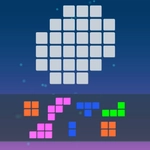
Blocks of Puzzle looks harmless at first. You get a handful of chunky shapes at the bottom of the screen, and a partially filled template up top. Your job is to drag every block into that empty space until the picture locks together. Sounds easy, right? Then you realize that one odd yellow piece doesn't fit anywhere you try it, and the whole layout starts to feel like a stubborn jigsaw puzzle without the box art.
The magic is in the snap. When a block slides into the right spot, the edges align with a soft click, and that little dopamine hit keeps you moving to the next grid. I spent way too long on one level because I kept trying to force a long blue bar into a diagonal slot — it obviously didn't belong there. Once I stopped and looked at the negative space instead of the pieces, the answer was staring at me. That's the core loop: you think it's about fitting shapes, but it's really about reading the empty gaps.
If you like arcade puzzle games that don't rush you, Blocks of Puzzle is a solid time sink. No lives, no countdown, just you, some blocks, and a template that refuses to complete itself. Play it with a mouse or your finger on a touchscreen; both feel precise enough. Just don't blame me when you look up and realize forty minutes vanished.
👥How to Play Blocks of Puzzle
Everyone will understand our block puzzle, everything is very simple and at the same time you need to strain your brain.
At the bottom of the screen you have block blocks that you need to move to the top of the game in a template that you need to comple
✨Game Tips
- Don't just drag every piece immediately. Scan the empty slots first and match the biggest gap with the biggest shape.
- If a block won't fit, rotate it mentally before moving — some pieces only work in one orientation.
- Work from the corners inward; those fixed edges give you a frame to build on.
- Use the glowing outline as a boundary. If a piece covers part of it, that's not the right spot.
- If you get stuck, remove the last piece you placed. A fresh look at the empty space often reveals the fix.
🔧FAQ
Q: Is Blocks of Puzzle free to play?
A: Yes, the full game runs free in your browser on this site.
Q: Do I need to download Blocks of Puzzle?
A: No downloads. It loads instantly as an HTML5 game online.
Q: Can I play Blocks of Puzzle on my phone or tablet?
A: Yes, the touch controls work well on mobile browsers.
Q: What if I get stuck on a level?
A: Try removing the last block you placed and look at the empty spaces again.
Q: Are there any time limits or lives in Blocks of Puzzle?
A: No, there's no timer or life system, so you can think as long as you like.
Q: Does Blocks of Puzzle save my progress?
A: Your browser usually keeps your level progress automatically between sessions.