
Blocky Challenges
Play Count0
Published2024-05-21
Supported DevicesPC + Mobile
CategoryArcade & Classic
Rating★★★★★5.0Rate this game
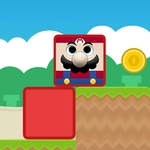
📝Blocky Challenges Overview
Tap fast, think faster — Blocky Challenges throws a barrage of pixelated puzzles at you and dares you to keep up.
💬What is Blocky Challenges?
There's something oddly satisfying about a game that doesn't explain itself. Blocky Challenges drops you into a grid of chunky, pixelated blocks and gives you one tool: click or tap. That's it. You'll slam blocks together, split them, dodge the red ones, and sometimes just pray you clicked the right square before the timer hits zero. It's pure arcade energy — the kind that makes you lean closer to the screen without noticing.
My first run was a disaster. I thought I'd breeze through, but the challenges switch on you fast. One second you're matching colors; the next you're stacking a tower that wobbles like it's had too much coffee. I kept coming back because losing takes five seconds and retrying takes zero. The blocky visuals feel chunky and readable, which matters when a split-second click decides everything. There's no story, no fluff — just a loop that scratches that 'one more try' itch.
If you're on a laptop, a mouse is your best friend; on a phone, your thumb will hate you in the best way. The difficulty ramps without being cruel, though the occasional cheap spawn will make you mutter under your breath. It's the kind of game you can play during a boring class or a lunch break, and it works exactly because it doesn't pretend to be more than a tight, blocky time-waster.
👥How to Play Blocky Challenges
Mouse click or tap to play
✨Game Tips
Prioritize clearing the flashing blocks first; they multiply if ignored.
On touchscreen, tap with your index finger instead of thumb for more precise corner hits.
Learn the spawn pattern for each challenge before chasing high scores.
When a level gives you a pause between waves, pre-position your cursor dead center.
If a red block appears, don't panic-click — wait half a beat for its movement pattern.
For stacking rounds, focus on the bottom block's edge alignment, not the falling block's shadow.
🔧FAQ
Q: Is Blocky Challenges free to play?
A: Yes, it's completely free on this unblocked games site — no paywalls or hidden fees.
Q: Can I play Blocky Challenges on my phone?
A: Absolutely. The game uses touch controls, so it works on any mobile browser.
Q: Do I need to download anything to play Blocky Challenges?
A: No downloads or installs required. It runs right in your browser.
Q: What are the controls for Blocky Challenges?
A: Just mouse click on desktop or tap on a touchscreen. That's the only input you need.
Q: Does Blocky Challenges save my high score?
A: It keeps your best score locally in your browser, but clearing cache resets it.
Q: Will Blocky Challenges lag on school Wi-Fi?
A: It's a lightweight HTML5 game, so it should run smoothly even on slower connections.