
Blocky Snake
Play Count0
Published2020-01-09
Supported DevicesPC + Mobile
CategoryArcade & Classic
Rating★★★★★5.0Rate this game
📝Blocky Snake Overview
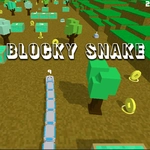
Steer a blocky serpent through tight corridors, snatch glowing bits, and don't bite your own ever-growing tail.
💬What is Blocky Snake?
Blocky Snake is the kind of game you open for a two-minute break and suddenly it's been twenty. The controls are dead simple – arrow keys or A/D to turn – but the way your snake clips into itself when you get greedy is brutally honest. I kept trying to squeeze between two blocks, thinking I had the hitbox memorized, and the game would just laugh. The blocky visuals aren't just a style choice; they make every turn feel crisp and readable, which matters when your snake fills half the screen.
The real hook is the speed ramp. Early on, you're cruising, picking up glowing squares without a care. Then you blink and the snake is longer, faster, and suddenly that open space you were using as a safety net is gone. There's a specific moment where you realize you've been circling the map five times and the tail is right behind you like a train you can't outrun. That's when you start planning routes instead of reacting.
One thing I appreciate: no gimmicks. No power-ups, no portals, just you versus your own greed. It's a pure arcade loop that works because it doesn't pretend to be anything else. If you grew up on Nokia snake or just need something tactile to zone out with, this scratches that itch. Watch the walls – they're not your friend, but they're not your enemy either; they're just there to remind you that the map is smaller than you think.
👥How to Play Blocky Snake
Use arrow keys or AD to move the snake left or right.
✨Game Tips
Hug the outer wall early to give yourself a long, predictable line, then spiral inward as the snake grows.
Tap the turn key twice quickly only if you're sure – the game queues inputs, and that double-turn can self-collide.
When your tail is long, circle the map's edge and wait for the food to spawn inside; don't chase every dot across the center.
The game speeds up on its own – focus on collecting slow food near your body, not far away.
If you're about to crash into yourself, turn toward the tail early; the tail moves, and a gap often opens where it just was.
🔧FAQ
Q: Is Blocky Snake free to play?
A: Yes, it's completely free in your browser with no hidden fees.
Q: Can I play Blocky Snake on mobile?
A: The game uses arrow keys or A/D, so mobile touch may not be available. Play on a computer keyboard for best results.
Q: Do I need to download or install Blocky Snake?
A: No download needed. It runs directly in your browser as an HTML5 game.
Q: What are the controls for Blocky Snake?
A: Use arrow keys or A/D to turn left or right. The snake moves forward automatically.
Q: Does Blocky Snake have different difficulty levels?
A: No difficulty select; the speed increases as you collect more food, making it naturally harder.
Q: Can I pause Blocky Snake or save my progress?
A: There's no save or pause feature, but sessions are short enough to replay anytime.