
Blocky Tetriz
Play Count0
Published2020-07-08
Supported DevicesPC + Mobile
CategoryPuzzle & Thinking
Rating★★★★★5.0Rate this game
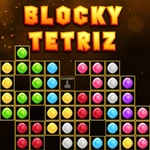
📝Blocky Tetriz Overview
Stack falling blocks into tidy rows, clear lines before the screen fills, and chase that elusive high score.
💬What is Blocky Tetriz?
Blocky Tetriz is pure Tetris comfort food with a chunky, colorful coat of paint. You get the usual seven tetrominoes raining down one at a time—rotate them left or right, shuffle them sideways, and slam them into place. The goal never changes: fill a full horizontal line to vaporize it and keep your stack from kissing the top. What sets this version apart is how responsive it feels whether you're tapping on-screen buttons, clicking with a mouse, or hammering arrow keys. There's no lag, no fuss, just clean block-dropping action.
I found myself chasing that one more round feeling after every game over. The difficulty ramps gradually—pieces start falling faster once you survive a few dozen lines, and the preview window for the next piece becomes your best friend. A tiny detail I love: the blocks snap into place with a satisfying click, and clearing multiple lines at once gives you a brief flash that feels like a reward. But don't get cocky: leave a single-column gap and you'll be praying for that long I-piece like it's an old friend.
There's no story, no gimmicks, no microtransactions—just the timeless puzzle loop that's been stealing lunch breaks for decades. If you're on a phone, the touch buttons are large enough to avoid misfires; on desktop, keyboard controls are the way to go. One warning: the game remembers your score locally, so closing the tab mid-run will wipe your progress. That's fine—starting fresh is half the fun.
👥How to Play Blocky Tetriz
Use touch buttons or mouse or keyboard to play this game.
✨Game Tips
- Use the next-piece preview constantly; don't just react to the falling block.
- Keep one side of the stack slightly lower to leave room for the I-piece.
- Clear lines in quick succession to rack up combo bonuses.
- On mobile, tap and hold the left or right button to slide a piece across the board.
- Don't waste time rotating pieces near the top—soft drop first, then adjust.
- If you're on a keyboard, use the down arrow for a soft drop and space for a hard drop (if supported).
🔧FAQ
Q: Is Blocky Tetriz free to play?
A: Yes, it's completely free on the website—no downloads, no sign-ups, no hidden costs.
Q: Can I play Blocky Tetriz on mobile?
A: Absolutely. The game works in mobile browsers with touch buttons, though keyboard play is better on desktop.
Q: Do I need to download anything to play Blocky Tetriz?
A: No download needed. Just open the game page and it runs instantly in your browser as HTML5.
Q: What are the controls for Blocky Tetriz?
A: Use arrow keys on desktop (left/right to move, up to rotate, down to drop) or touch buttons on mobile. Mouse clicking also works.
Q: How do I score more points in Blocky Tetriz?
A: Clear multiple lines at once—a four-line clear (Tetris) gives the biggest point boost. Speed and combos matter too.
Q: Does Blocky Tetriz save my high score?
A: It saves your best score locally in the browser, but clearing browser data or closing the tab will reset it.