
Blocky Zombie And Vehicle Shooting
Play Count0
Published2021-01-26
Supported DevicesPC
CategoryAction & Fighting
Rating★★★★★5.0Rate this game
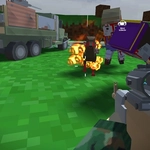
📝Blocky Zombie And Vehicle Shooting Overview
Hop in a car, mow down blocky zombies, then bail out and finish the stragglers on foot as the horde closes in.
💬What is Blocky Zombie And Vehicle Shooting?
So you're cruising through this low-poly world, engine growling, when a crowd of blocky zombies lurches onto the road. You could just plow through them — and honestly, that never gets old — but the game wants you to step out sometimes. The E key drops you from the driver's seat into ankle-deep undead trouble, and suddenly it's a mouse-aim scramble to pop heads before they nibble your kneecaps.
What I appreciate is how the vehicle isn't just a taxi. You can shoot from the window, which sounds awkward but works surprisingly well once you get the hang of steering with WASD while your crosshair drifts around independently. Swapping to a different gun feels like a real choice — I kept a shotgun for close calls inside buildings but a rifle for those long sightlines down the dirt road. The attachment system (press T) is subtle but rewarding; a red dot sight on the pistol changed my early survival odds completely.
The blocky aesthetic keeps things readable. You won't mistake a zombie silhouette for a fence post, and the bloodless animation means you can focus on positioning rather than gore. Ammo is just scarce enough to make you think twice about wasting shots on a shambling torso when a headshot does the job in one. I found myself hoarding SMG rounds, then scattering them uselessly the moment three zombies spawned behind a rock. Classic.
If you like the idea of a sandbox where you're not locked into either driving or shooting — where the best moments happen when you leap out of a burning wreck and start backpedaling — this one will eat your afternoon.
👥How to Play Blocky Zombie And Vehicle Shooting
wasd- drive vehicle or walk
use mouse to look around, shoot or change gun
e - enter in car and exit
q - cahnge camo to gun
T - change attachaments
✨Game Tips
Aim for the head — body shots eat ammo fast and zombies keep shambling.
Use cars as mobile cover, but don't rely on them; they can get swarmed and block your exit.
Press Q to switch between camo and gun mode when you need precision over mobility.
The T key cycles attachments; try a scope early if you find yourself missing ranged shots.
Keep a vehicle nearby even when exploring on foot so you can make a quick getaway.
Save shotgun shells for crowds that get within spitting distance.
🔧FAQ
Q: Is Blocky Zombie And Vehicle Shooting free to play?
A: Yes, it's completely free in your browser.
Q: Do I need to download anything to start playing?
A: No download needed — just open the page and jump in.
Q: Can I play Blocky Zombie And Vehicle Shooting on mobile?
A: It works best with a keyboard and mouse, but some mobile browsers support it.
Q: How do I exit a vehicle?
A: Press the E key to enter or exit any car.
Q: What does the Q key do?
A: Q toggles between camera view and gun aiming mode.
Q: Are there different guns in the game?
A: Yes, you can swap weapons using the mouse and find new ones during play.