
Bloxcape
Play Count0
Published2021-05-26
Supported DevicesPC
CategoryArcade & Classic
Rating★★★★★5.0Rate this game
📝Bloxcape Overview
Think you can outsmart a teetering tower of tumbling blocks before the whole thing crashes down and buries your last life?
💬What is Bloxcape?
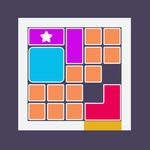
The first time I opened Bloxcape I expected another casual click-fest, but it's got this sneaky tension under the bright blocks. You're looking at a grid or stack of colored blocks, and your only move is a click or tap to make one disappear. Sounds easy. Then the tower starts shifting, gravity kicks in, and suddenly every removal changes the whole structure. You'll be squinting at the screen, planning which block to pop so the rest don't avalanche onto you.
What got me hooked is the physics. Blocks aren't just vanishing—they're tumbling, sliding, and crashing into each other. There was a moment where I clicked a lone green block on the bottom row, and the entire upper tier rotated like a slow-motion Jenga fail. I actually gasped. That's the thing: you're not just clearing blocks, you're reading the instability. Sometimes the best move is to leave a wobbly column alone and target a stable one, because once the chain reaction starts, you can't undo it. The timer (or rising danger line) keeps you from overthinking though, so you'll make a few panicked clicks that end in a spectacular collapse.
Mouse or touchscreen is all you need, which makes Bloxcape perfect for a quick break between classes or while pretending to work. It runs smooth in a browser, no download nonsense. Is it a deep strategy game? Not really. Is it weirdly satisfying to watch a stack of blocks implode after you remove one crucial piece? Absolutely. I kept coming back just to see if I could survive one more level with a cleaner strategy. If you like block puzzles, arcade highscores, or just want something that makes you feel smart for five minutes, this one's worth a click.
👥How to Play Bloxcape
Use mouse or touch the screen!
✨Game Tips
Aim for blocks that won't trigger a chain reaction—sometimes the least impressive move is the safest.
If a column looks wobbly, don't touch it unless you're ready for a full collapse.
Watch how blocks settle after each removal; the physics gives hints about load-bearing pieces.
Play with a mouse if possible—precision matters when the stack gets tight.
Speed isn't always your friend; a paused second to scan the tower beats a lucky guess.
When in doubt, clear from the top down. Gravity is less likely to crush you that way.
🔧FAQ
Q: Is Bloxcape free to play?
A: Yes, it's completely free in your browser. No paywalls or hidden costs.
Q: Do I need to download anything to play Bloxcape?
A: No downloads needed. It runs on HTML5, so just open the page and start clicking.
Q: Can I play Bloxcape on my phone or tablet?
A: Absolutely. The touch controls work great on mobile browsers, no app required.
Q: What's the goal in Bloxcape?
A: Clear enough blocks to survive each level without letting the stack collapse on you.
Q: Does Bloxcape save my high score?
A: It tracks your best score locally in your browser, so you can aim to beat it next time.
Q: Is Bloxcape suitable for kids?
A: Yes, it's family-friendly with bright colors and simple controls, no violence or gore.