
Bloxorz
Play Count0
Published2025-06-22
Supported DevicesPC
CategoryArcade & Classic
Rating★★★★★5.0Rate this game
📝Bloxorz Overview
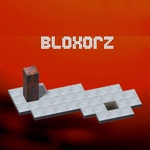
Roll a 2x1 brick through floating platforms, but one slip and it's a long drop into nothing — can you land it in the square hole?
💬What is Bloxorz?
This one's a brain-bender disguised as a toy. You've got a rectangular block that's twice as long as it is wide, and it rolls end over end or side to side across a grid of floating tiles. The goal sounds simple: drop it through the square hole somewhere on the level. But the block only fits when it's standing upright, perfectly aligned — and it overhangs the edge if you're not careful, tipping into the abyss. I can't count how many times I rolled two spots too far and watched it disappear.
The early levels lull you into thinking you're a genius. Then bridges appear, switches need to be weighed down, orange tiles crumble after one touch, and split mechanisms force you to divide the block into two separate pieces you juggle with the space bar. Timing matters. A single miscalculated roll can wedge you into a corner with no way back except a reset. It's pure spatial reasoning, like playing chess with a brick.
What keeps me coming back is that 'aha' moment when a level clicks after fifteen failed attempts. There's no timer, no enemies, just you against the geometry. It runs fine on any browser, loads instantly, and the difficulty curve is exactly right — gentle at first, then it starts throwing multi-step sequences that'll have you planning five moves ahead. Perfect for a quick puzzle fix without downloads.
👥How to Play Bloxorz
WASD or Arrow keys to roll the block -
Space bar to switch between the blocks
✨Game Tips
Always check the edges before you roll — the block overhangs if you're not dead centre.
Stand the block upright near switches to activate them, but watch that it doesn't tip.
When the block splits into two, move one piece at a time and keep them both on safe tiles.
Use reset (R key) instead of falling off to save time on complex levels.
Plan your route backwards from the hole to avoid getting stuck.
Fragile orange tiles break instantly, so only roll over them when you're 100% sure.
🔧FAQ
Q: Is Bloxorz free to play?
A: Yes, it's completely free on this site. No hidden fees or premium options.
Q: Can I play Bloxorz on my phone?
A: Yes, the HTML5 version works on mobile browsers. Touch controls replace the keyboard.
Q: Do I need to download or install anything?
A: No downloads needed. It runs directly in your browser.
Q: What keys do I use to move the block?
A: Use WASD or arrow keys to roll. Space bar switches between blocks when split.
Q: How do I reset a level if I get stuck?
A: Press R to restart the current level. You can also refresh the page.
Q: Why does my block keep falling off the platform?
A: The block overhangs when not centred. Be precise with rolls near edges.