
BMW car Driving Super 3D
Play Count0
Published2022-07-27
Supported DevicesPC
CategoryAction & Fighting
Rating★★★★★5.0Rate this game
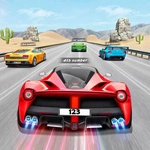
📝BMW car Driving Super 3D Overview
You're at the wheel of a BMW with nothing but open asphalt ahead — how fast can you push it before your luck runs out?
💬What is BMW car Driving Super 3D?
I wasn't expecting much from a browser game called BMW car Driving Super 3D, but the first time I floored it out of a parking lot and watched the speedometer needle climb, I got it. This is pure, unapologetic free driving. No story, no upgrade tree, no checkpoints nagging you. Just you, a surprisingly detailed BMW model, and a city grid that begs you to test every red light.
The controls are old-school keyboard arrows — up to accelerate, down to brake/reverse, left and right to steer. What surprised me was the weight. The car doesn't turn like a go-kart; it drifts a little when you jerk the wheel at speed, and the brakes lock up if you slam them too hard. I spent a solid ten minutes just doing donuts in an intersection before a police car clipped my rear fender. Yes, there's traffic, and yes, you can absolutely get into ugly multi-car pileups. The 3D camera follows from behind, but you can swing it around with the mouse to check your blind spot, which I did roughly every three seconds after my first head-on collision.
If you want a polished racing sim, this isn't it. But for killing twenty minutes at school or work, it's dangerously easy to lose track of time. I kept coming back just to see how fast I could take that one sweeping downhill left-hander without ending up on the sidewalk. Sometimes the AI cars behave like they've never seen a brake pedal; other times they'll perfectly merge like it's rush hour in a European city. The graphics are decent for a browser title — shiny paint, working headlights at dusk, and dashboard reflections that add more immersion than I expected. Just don't get attached to the bodywork. Curbs are not your friend.
👥How to Play BMW car Driving Super 3D
KeyBoard Controls
✨Game Tips
Tap the brakes before hard corners; slamming them mid-turn sends you into a spin.
Use the mouse to look around while driving — blind spots will kill you more than speed.
Reverse is your best recovery tool after a bad crash; don't just mash forward.
Traffic cars are unpredictable; keep an eye two car-lengths ahead, not on your bumper.
Don't floor it from a standstill unless you want the rear end to step out.
Keep your speed under 80 mph through intersections unless you like airborne crossovers.
🔧FAQ
Q: Is BMW car Driving Super 3D free to play?
A: Yes, it's completely free in your browser with no paywalls or hidden charges.
Q: Do I need to download anything to play?
A: No downloads needed. It runs in your web browser as long as you have an internet connection.
Q: Can I play BMW car Driving Super 3D on my phone?
A: It's designed for keyboard play, so a desktop or laptop is best. Mobile touch controls may not work properly.
Q: What are the keyboard controls?
A: Use arrow keys: up to accelerate, down to brake/reverse, left and right to steer. Mouse moves the camera.
Q: Is the game unblocked at school?
A: Most unblocked game sites host it, but your school's firewall may still block specific domains. Try a mirror site.
Q: Does the game have any missions or levels?
A: No missions. It's open free driving with traffic, so you set your own fun — racing, drifting, or exploring.