
Bounce Ball Timer
Play Count0
Published2024-08-05
Supported DevicesPC + Mobile
CategoryArcade & Classic
Rating★★★★★5.0Rate this game
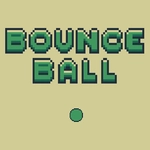
📝Bounce Ball Timer Overview
Tap to keep the ball in the air while the timer drains away — one missed bounce and your run is toast. Can you survive the final ten seconds?
💬What is Bounce Ball Timer?
Bounce Ball Timer is the kind of game that looks absurdly simple until you're three attempts deep and your thumb is twitching. You get a ball, a surface, and a countdown that refuses to slow down. Tap or press a key to send the ball upward, then watch it fall, bounce, and drift toward the edge. The trick isn't just keeping it airborne — it's managing the timer. Every bounce buys you a split second, but the clock keeps eating away no matter what. I found myself holding my breath on the last ten seconds, convinced the next tap would be the one to send it flying off-screen.
The controls are one-button, but don't mistake that for easy. The ball's physics feel a little floaty at first, then punishing once you get greedy. A hard tap sends it rocketing toward the ceiling, then you're stuck waiting while the timer mocks you. A soft tap leaves it too low, and the floor eats your run. There's a sweet spot, and finding it feels genuinely satisfying. On keyboard you can get into a rhythm with the spacebar; on touch you'll learn to flick instead of tap. After a few runs you stop seeing the ball and just feel the timing.
It's a perfect five-minute game for when you want something twitchy but not stressful. No ads, no loading screens, no tutorial — just you, the ball, and a timer that hates you. My best run hit 42 seconds, and I'm still not sure if that's good. The high score chases you, though, and the 'one more try' loop is real. You'll blame the physics, then realize it's your thumbs all along.
👥How to Play Bounce Ball Timer
Touch or keyboard
✨Game Tips
Tap lighter than you think — a heavy tap sends the ball too high and wastes precious time waiting for it to fall.
Use the rhythm of the bounce instead of reacting late; hit when the ball is about a third of the way down.
On keyboard, hover your finger over the spacebar and keep your wrist relaxed for faster taps.
Don't chase the ball with your eyes; focus on the center of the screen where it crosses most often.
If the timer is about to expire, a low bounce keeps you in control better than a sky-high one.
After a miss, restart immediately — the first bounce is the easiest to calibrate.
🔧FAQ
Q: Is Bounce Ball Timer free?
A: Yes, it's completely free to play online with no hidden fees.
Q: Can I play Bounce Ball Timer on mobile?
A: Yes, it works on mobile browsers using touch controls.
Q: Do I need to download anything?
A: No download needed. Just open the game in your browser and start playing.
Q: How do I control the ball?
A: Tap the screen or press the spacebar to bounce the ball upward.
Q: What happens when the timer runs out?
A: The game ends and you see your final score or best time.
Q: Can I pause the game?
A: Usually you can by tapping an on-screen pause button, depending on the version.